Remote Team Headshots: How to Keep Everyone Consistent
Remote team headshots stay consistent when you control four things: a written style guide, a source photo standard, one shared generation setup, and a single approval step. Everything else is optional. Scheduling, travel, studio bookings, none of it decides the outcome. Skip those four controls and you get what most distributed companies already have: a team page where one person is backlit in a kitchen, another is cropped out of a wedding photo, and a third is still using a headshot from a former employer.
This guide is written for remote-first and hybrid companies that need consistent employee headshots across an About page, a sales deck, a directory, and everyone's LinkedIn profile, without asking people in six time zones to show up at the same studio. Flexible and remote work arrangements are now a standard part of how many organizations operate, according to U.S. Bureau of Labor Statistics data on job flexibilities and work schedules. The old assumption of an annual in-office photo day no longer fits how most teams actually work.
Key Takeaways
- Consistency comes from the brief, not the camera. Write a one-page style guide covering crop, background, wardrobe, expression, and file specs before anyone submits a photo.
- Source photos are the real variable. With AI headshots, output quality tracks input quality. Give employees an explicit source photo checklist instead of "send a few pics."
- Approve centrally, not individually. One reviewer comparing all headshots side by side catches mismatched backgrounds and crops that nobody notices in isolation.
- Roll out in waves. Pilot with 3-5 people, fix the guide, then open it to the full team with a deadline and a fallback plan for late submissions.
Remote Team Headshot Requirements
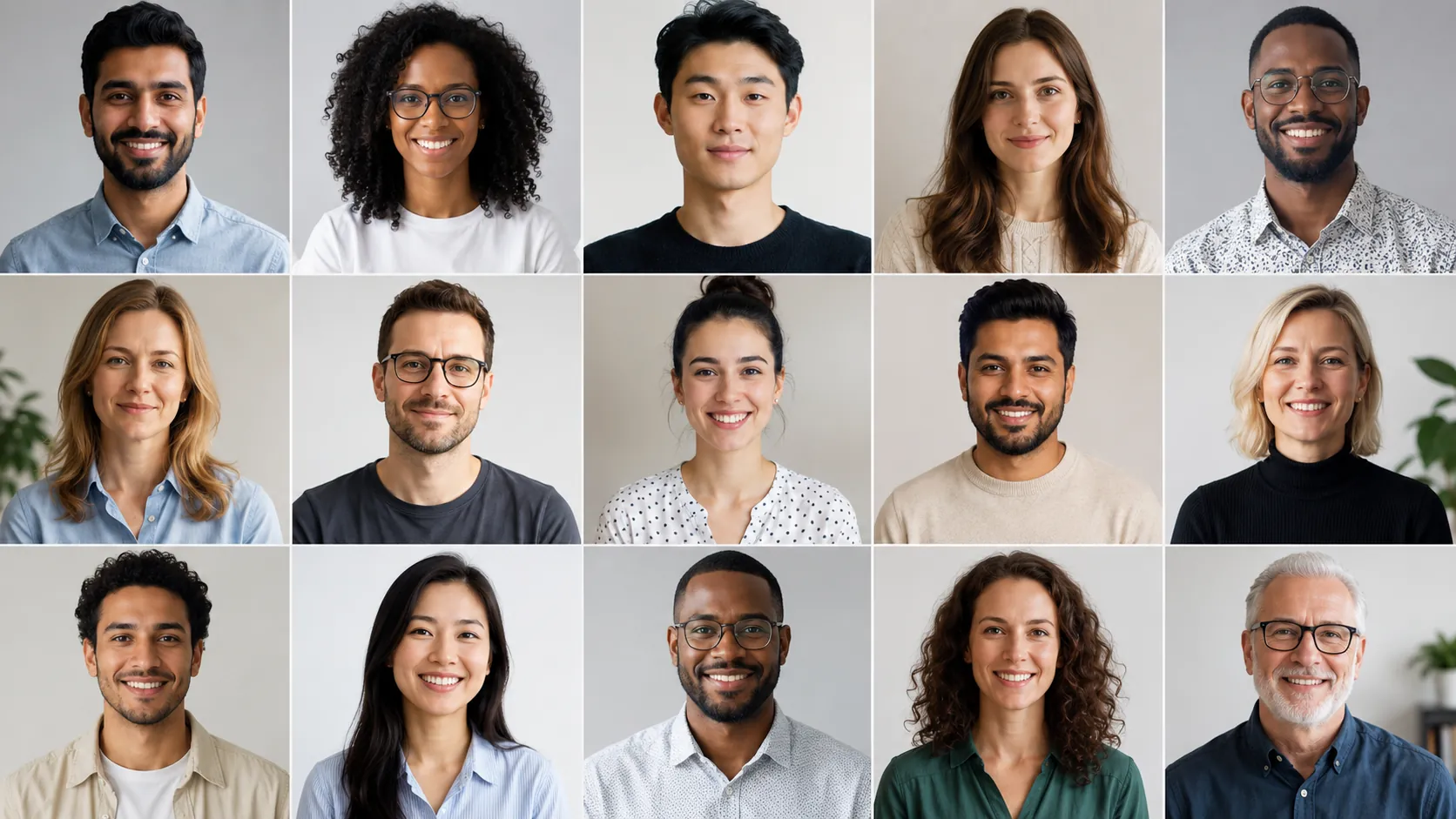
A remote team headshot has a different job than a personal portrait. It has to survive being placed next to twenty other faces on a grid, at 200 pixels wide, on a company website. That context dictates the requirements.
Here's the practical test. Place every team member's photo in a row. If one of them pulls your eye for the wrong reason, a busy bookshelf, a yellow ceiling light, a much tighter crop, the set has failed, even if each photo looks fine on its own.
Publish these standards as a short internal document. This is the entire style guide most teams need:
| Element | Team standard | Why it matters at grid scale |
|---|---|---|
| Crop | Head and shoulders; eyes on the upper third; small margin above the head | Mismatched crops make faces look different sizes in a directory row |
| Background | One neutral choice for everyone: soft gray, off-white, or a single blurred office tone | Background is the fastest thing the eye compares across photos |
| Wardrobe | Solid mid-tones; collar or knit; no logos or loud patterns | Patterns and branded apparel date quickly and distract at small sizes |
| Expression | Approachable and steady: a light smile or a relaxed closed-mouth look | Wildly different energy levels read as an inconsistent culture |
| Lighting | Even, front-weighted, no harsh shadow across one side of the face | Directional light varies most between homes and is the hardest to fix later |
| Color | Neutral white balance; no filters, heavy warmth, or skin smoothing | Color drift is obvious side by side and looks unprofessional |
| File spec | Square 1:1 master, minimum 1000×1000 px, JPG or PNG | One master crop can be reused for the site, decks, and profile pictures |
Two decisions cause most of the arguing, so make them once and write them down: pick a single background and a single wardrobe tone range. If your team can't agree, default to soft gray and mid-tone solids. They work for nearly every industry and every skin tone.
AI Headshot Strategy for Remote Teams

AI headshots fit distributed teams for a structural reason. The variable you're trying to control, the final look, is set by a shared prompt and style selection, not by twenty different rooms, cameras, and phone lenses. Each person contributes only source photos. The styling happens in one place.
Traditional photography inverts that. To get matching results you either fly a photographer to each city or fly everyone to one studio, and professional portrait sessions are typically quoted per person or per session, with travel and setup billed on top. That is the pricing structure most working photographers publish through industry bodies like the Professional Photographers of America. For a fifteen-person team spread across three countries, the coordination cost usually exceeds the photography cost.
When consistency across a distributed group is the goal, use corporate headshots for remote teams as the shared style baseline, then lock the same background, lighting, and crop for everyone before the first person uploads anything. Our deeper walkthrough of corporate headshots for teams without a photoshoot covers the budgeting and vendor comparison side if you're still building the business case.
Source photo standards
This is the part teams under-communicate. AI generation amplifies what it's given. Clear, varied, recent source photos produce natural-looking results; blurry or heavily filtered inputs produce headshots that look slightly off. Send this list verbatim:
- 8-15 photos of you alone, taken within the last 12 months.
- Vary the angle: straight on, slight left, slight right. Not fifteen versions of the same selfie.
- Vary the setting and top: different rooms, different shirts, different days.
- Face clearly visible: no sunglasses, no hats, no hands near the face, no heavy shadow.
- Eyes open, looking at the lens in most shots.
- No group photos, even cropped ones. A second face in frame confuses the result.
- Keep your usual glasses in most photos if you wear them daily.
- Skip filters, beauty modes, and heavy retouching.
If people need help capturing usable inputs, point them to a short guide on taking professional headshot source photos at home rather than answering the same lighting question fifteen times in Slack.
Style locking
Pick one background, one lighting setup, and one crop, and apply them to every person in the batch. Do not let individuals choose their own style. That is exactly how you end up back where you started. Allow variation only in what naturally differs: hair, wardrobe within the approved tone range, and expression within the approachable band.
What Works for Remote Team Headshots

The following choices hold up across departments, seniority levels, and screen sizes, which is what a distributed team actually needs.
| Scenario | What works |
|---|---|
| Company About page grid | Identical soft-gray or off-white background; identical head-and-shoulders crop; uniform warmth |
| Sales and client-facing decks | Slightly warmer expression; business casual; enough headroom to crop into a circle without clipping hair |
| Leadership and board bios | A calmer, more formal variant of the same background: same family, one step more restrained |
| Individual LinkedIn profiles | Square master file the employee owns; LinkedIn recommends a clear, recent photo of you alone in its official profile photo help documentation |
| Mixed hybrid teams | One standard for everyone, including people who already had a studio shoot; regenerate rather than mix eras |
A shared wardrobe range beats a uniform. Give people a band, solid mid-tone tops, collars or fine knits, no logos, rather than dictating a specific color. It reads as a coherent team instead of a costume. If wardrobe questions keep coming up, share the breakdown of what to wear for professional headshots and let people self-serve.
One background, no exceptions. Soft gray is the safest default. It flatters every skin tone, holds up against dark and light website themes, and never fights with a logo.
Deliver a square master plus pre-made crops. Give each person the 1:1 file, a circle-safe version, and a 16:9 banner-friendly crop. People will otherwise crop it themselves, badly, in five different tools.
Refresh the whole set together. Update annually, or whenever more than a quarter of the team has changed, so the grid never becomes a timeline of hiring waves.
What to Avoid for Remote Team Headshots
Letting each person pick their own style. Individual choice is the single biggest cause of inconsistent employee headshots. Consistency is a team decision made before the batch runs, not a preference collected afterward.
Accepting cropped group photos and old event pictures. They carry the wrong lighting, the wrong resolution, and often someone else's shoulder. Reject them at intake, kindly, with the source photo checklist attached.
Mixing photography eras. A 2019 studio portrait next to a fresh headshot looks like a mistake even when both are technically good. If you're standardizing, standardize everyone.
Over-retouching. Smoothed skin and reshaped features undermine the credibility you're trying to build, and people notice on video calls. Aim for natural-looking, well-lit, and recognizable.
Making it feel mandatory and unpaid. Headshots involve someone's face and personal photos. Explain how images are used, how long they're stored, and offer an opt-out path such as an initials avatar or an illustrated placeholder for anyone who declines. If people ask what happens to their uploads, our overview of AI headshot privacy checks is a useful thing to forward.
Skipping the pilot. Running fifty people through an unproven style guide means fixing fifty results.
Create Professional Headshots in Minutes
Upload 5-20 everyday photos and get 40-100 polished AI headshots for LinkedIn, resumes, company pages, and executive bios.
15-30 minute delivery • Full commercial rights • One-time payment
Get My Headshots →Step-by-Step: Optimizing Your Remote Team Headshot Rollout
Prerequisites: a named owner (usually People Ops, Marketing, or an EA), a one-page style guide, a shared upload folder, and a deadline.
- Lock the style guide. Decide background, crop, wardrobe range, expression, and file spec. One page. Circulate it before you ask anyone for photos.
- Pilot with 3-5 people. Include a range of skin tones, hair types, and glasses-wearers. Look at the results side by side, not one at a time. Adjust the guide where the pilot exposed gaps.
- Brief the team. Send the style guide, the source photo checklist, the deadline, the storage policy, and the opt-out option in a single message. Answer questions in one thread so nobody invents their own interpretation.
- Collect and screen source photos. Reject blurry, filtered, sunglasses-heavy, or group shots at intake. Screening five photos takes a minute; regenerating a bad batch takes an afternoon.
- Generate the batch with one locked style. Same background, same lighting, same crop for every person.
- Review as a grid. Paste every result into a single slide or doc at final display size. Flag anything that pulls the eye.
- Publish and archive. Push approved files to the website, directory, and deck templates. Give each person their master file plus crops for LinkedIn and personal use.
Approval workflow
| Stage | Owner | What gets checked | Typical turnaround |
|---|---|---|---|
| Intake screening | Project owner | Source photos meet the checklist | Same day |
| Employee self-select | Each person | Picks 2-3 favorites they feel comfortable with | 2 business days |
| Consistency review | Project owner | Background, crop, warmth, and expression match across the grid | 1 business day |
| Brand sign-off | Marketing or brand lead | Fit with site theme and deck templates | 1 business day |
| Publish | Web or IT owner | Correct crops in each system; old photos removed | Same day |
Rollout checklist
- Style guide written and approved
- Source photo checklist sent with an example set
- Storage and usage policy stated in writing; opt-out offered
- Pilot group completed and guide revised
- Deadline set, with a named fallback for late submissions
- Grid review completed at final display size
- Master files and crops distributed to every employee
- Website, directory, decks, and email signatures updated on the same day
- Calendar reminder set for the next refresh
Final Thoughts
Consistent remote team headshots are an operations problem before they are a photography problem. Write the style guide first, screen the source photos at intake, and have one person review the full grid before anything ships. Do that and a distributed team can look every bit as coordinated as a company that shares a floor.
Start small. Write the one-page guide, run a five-person pilot, and fix what the pilot exposes. Then open it to the whole team with a clear deadline and a fallback for the people who miss it. Give everyone their master file afterward so the same polished portrait shows up on the company site, in the sales deck, and on their own profile.
When you're ready to produce the batch, ProfessionalHeadshot.io turns everyday photos into studio-quality headshots with one locked style across the team. No scheduling, no travel, no photo day.
Create Professional Headshots in Minutes
Upload 5-20 everyday photos and get 40-100 polished AI headshots for LinkedIn, resumes, company pages, and executive bios.
15-30 minute delivery • Full commercial rights • One-time payment
Get My Headshots →FAQ
How do you keep remote team headshots consistent without a studio?
Lock the variables that create inconsistency: publish one style guide covering background, crop, wardrobe range, expression, and file spec; screen source photos against a checklist; generate the whole team with a single locked style; and have one reviewer approve the results as a grid rather than individually.
How many source photos does each employee need to submit?
Plan for 8-15 recent photos per person, each showing only that individual, with varied angles, settings, and tops. Exclude sunglasses, hats, heavy filters, and cropped group shots. Those inputs are the most common cause of unnatural-looking results.
Who should own the approval workflow?
One person, usually in People Ops, Marketing, or an EA role. Employees choose their favorites, but a single owner performs the consistency review across the full grid and a brand lead signs off on fit with the site and deck templates.
What should we do about employees who already have studio headshots?
Regenerate them with the team standard. Mixing photography eras is visible even when each photo is good on its own, so a shared background, crop, and color treatment matters more than the origin of any single image.
Can employees opt out of team headshots?
Yes, and you should offer a path. An initials avatar or an illustrated placeholder works. State clearly how photos are used, where they are stored, and how long they are kept, so people can make an informed choice about sharing their images.