AI Headshot Privacy: What Professionals Should Check Before Uploading

Before you upload your face to any AI tool, the real question behind ai headshot privacy is straightforward: what happens to your photos after you get your results? A trustworthy service tells you plainly how long it keeps your images, whether it uses them to train models, who can access them, and whether you keep full commercial rights to the output. If a tool cannot answer those questions in clear language, slow down.
This guide gives you a practical checklist you can apply in a few minutes. You will learn how to read a privacy policy without a law degree, which promises actually matter, and what to ask when you are buying headshots for a whole team. The goal is not to make you anxious. It is to help you upload with confidence, get polished professional headshots, and know exactly where your source photos end up.
Most reputable AI headshot services are safe to use once you check a few specifics first. Problems tend to come from vague policies, indefinite storage, or buried clauses about training data, not from the technology itself. Once you know what to look for, the decision gets much easier.
Key Takeaways
- Deletion policy first: Look for a clear, time-bound statement on when source photos and generated images are removed from active storage and backups.
- Training is the dealbreaker: Confirm your uploaded photos are not used to train the provider's models unless you explicitly opt in.
- Rights should be yours: You should keep full commercial rights to the final headshots, with no watermark or licensing catch.
- Regulation signals maturity: References to GDPR, the right to erasure, or biometric consent laws suggest the provider has taken privacy seriously.
- Teams need extra checks: Procurement, employee consent, and a data processing agreement matter when you buy headshots at scale.
What Is AI Headshot Privacy?
AI headshot privacy covers how a service collects, stores, uses, shares, and deletes the photos you provide and the images it generates. When you use an AI headshot tool, you typically upload a handful of everyday photos. The service processes those images to create a personalized model of your likeness, then generates polished portraits from it. Every step in that pipeline touches your data.
Three layers matter. The first is your source photos, the raw selfies and snapshots you upload. The second is the personalized model or embedding the tool builds from them. The third is the generated headshots you download. A strong policy addresses all three, not just the final images.
It helps to understand the mechanics before judging the policy. If you want the technical picture of training and generation, the walkthrough in how AI headshots work explains the steps a service takes with your photos. Once you know that a temporary model is built from your uploads, you can ask the right question: is that model discarded after your session, or kept indefinitely?
Your face is sensitive data. In several jurisdictions it can qualify as biometric information, which carries stricter rules than an ordinary photo. That is why serious providers publish specifics rather than a generic one-line promise. Clarity here is the single best indicator that a service respects your data.
Why AI Headshot Privacy Matters
Your headshot is one of the most public pieces of your professional identity, but the photos behind it are personal. Weak ai headshot privacy practices create three real risks: your source images could be retained longer than you expect, reused to train systems without your knowledge, or exposed in a breach. None of those outcomes are hypothetical for the wider tech industry, which is why regulators now treat facial data with extra care.
Facial images can be classified as biometric or sensitive personal data under laws like the EU's GDPR, and mishandling them can carry real consequences. The U.S. Federal Trade Commission has repeatedly warned companies that collecting and storing biometric data without safeguards or clear disclosures can be an unfair or deceptive practice (FTC privacy and security guidance). That regulatory attention works in your favor: it pushes reputable vendors toward clear policies.
There is also a professional angle. If you are refreshing your LinkedIn presence or preparing a company directory, you want the process to strengthen your credibility, not introduce a data risk you have to explain later. Choosing a service with transparent handling protects both your image and your peace of mind. Privacy here is part of the product quality, not a side feature.
How to Check an AI Headshot Tool's Privacy

You do not need to read a policy end to end. Search the page for a few specific terms and confirm the answers are concrete. Here is a checklist you can run in about five minutes before you upload anything.
| What to check | Green flag | Red flag |
|---|---|---|
| Deletion policy | Specific timeframe (for example, source photos deleted within 30 days) | "We may retain data as needed" with no limit |
| Model training | Your photos are not used to train models, or opt-in only | Silence, or broad license to "improve services" |
| Commercial rights | You own the outputs with full commercial use | Watermarks, extra license fees, or unclear ownership |
| Sharing | No sale of data; named subprocessors only | Data shared with unspecified third parties |
| Security | Encryption in transit and at rest | No mention of security measures |
| Your controls | Right to request deletion and export | No way to delete your account or data |
Work through it in order. Start with deletion, because indefinite storage is the most common quiet problem. Under GDPR, users have a right to erasure, and providers that operate cleanly usually make that request easy (GDPR Article 17). A self-serve delete button is a strong signal.
Next, decide which tool actually fits your need before you commit your photos. Comparing your options up front reduces the chance you upload to several services just to test them. If you are still weighing the approach itself, the breakdown in AI headshots vs a professional photographer can help you decide whether AI is the right route at all, so you only share your face with one vetted provider.
When you are ready to see how different portrait styles map to specific use cases, you can compare the full set of professional headshot types and pick the one that fits LinkedIn, a company page, or an executive bio. Choosing the right style first means fewer regenerations and fewer uploads overall.
Create Professional Headshots in Minutes
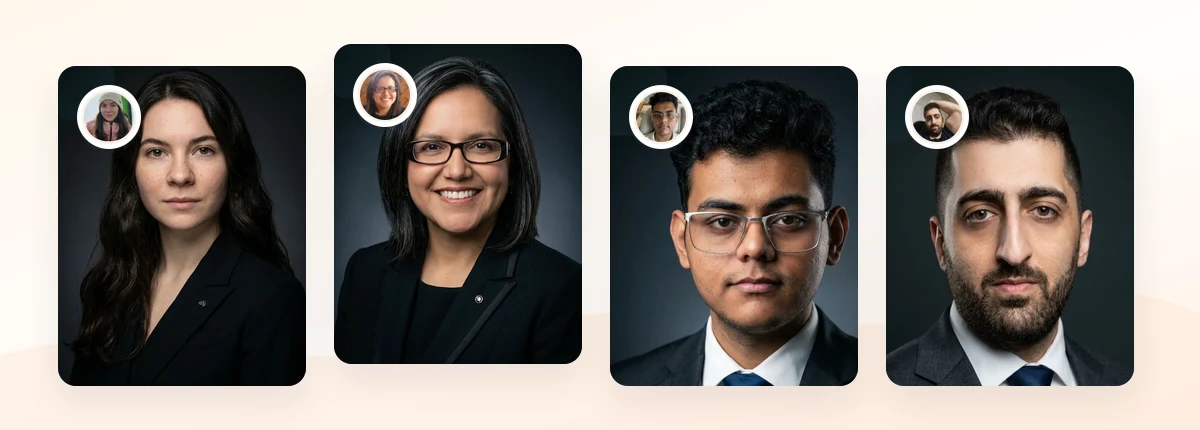
Upload 5-20 everyday photos and get 40-100 polished AI headshots for LinkedIn, resumes, company pages, and executive bios.
15-30 minute delivery • Full commercial rights • One-time payment
Get My Headshots →Best Practices for Protecting Your Data

Beyond vetting the provider, a few habits keep you in control of your own images. These steps are simple and take almost no extra time.
Read the deletion policy before, not after. Confirm the timeframe applies to both source photos and any personalized model, not only the generated outputs. Some services delete finished images but keep the underlying model, which is the part built directly from your face.
Prefer providers that address biometric consent. Laws like Illinois's Biometric Information Privacy Act require informed consent before collecting facial biometrics, and providers that reference this kind of framework tend to treat data more carefully (Illinois BIPA). Explicit consent language is a maturity signal.
Use clean source photos you already own. Upload recent selfies you took yourself. Avoid photos that include other people, sensitive backgrounds, or documents. Fewer people in your uploads means fewer consent complications.
Delete your data when you are done. After you download your final headshots, request deletion or use the self-serve option. Keep your downloaded files in your own storage instead of leaving them on the provider's servers.
For teams, add procurement checks. If you are buying corporate headshots for staff, ask for a data processing agreement, confirm each employee gives informed consent, and verify the vendor's storage region matches your compliance needs. Treat it the same way you would treat any HR software that handles personal data.
Common Mistakes to Avoid
Even careful professionals slip up in predictable ways. Watch for these.
- Assuming free means safe. A no-cost tool still needs a business model. If pricing is unclear, read the policy twice to see how your data is used.
- Skipping the training clause. A policy can promise to delete your photos while quietly reserving the right to use them for model improvement. Look for the word "train" specifically.
- Uploading to several tools at once. Testing five services means your face now lives in five databases. Choose one vetted provider instead.
- Ignoring commercial rights. Some tools grant only personal use, which can be a problem for a company website or a paid speaker bio. Confirm you can use the images commercially.
- Forgetting to delete afterward. Getting your headshots is not the last step. Closing the loop with a deletion request is.
Final Thoughts
Strong ai headshot privacy comes down to five things you can verify quickly: a clear deletion timeline, no hidden model training, full commercial rights, transparent sharing, and real user controls. When a provider states those plainly, the safety question mostly answers itself. The risk is not the technology. It is a vague policy.
Start by running the checklist above on any tool you are considering, upload clean photos you own, and request deletion once you have your final images. If you are buying for a team, add consent and a data processing agreement. Do that, and you can refresh your professional presence without trading away your peace of mind. When you are ready to create polished, natural-looking headshots from a provider that keeps your rights and your data in your hands, the CTA below is the place to begin.
Create Professional Headshots in Minutes
Upload 5-20 everyday photos and get 40-100 polished AI headshots for LinkedIn, resumes, company pages, and executive bios.
15-30 minute delivery • Full commercial rights • One-time payment
Get My Headshots →Frequently Asked Questions
Are AI headshots safe to use?
AI headshots are generally safe when you choose a provider with a clear deletion policy, no unapproved model training, and full commercial rights. The main risks come from vague policies and indefinite storage, not the technology itself. Run a quick privacy checklist before uploading.
Do AI headshot tools keep my photos forever?
Reputable tools do not. Look for a specific deletion timeframe covering both your source photos and the personalized model built from them. If a policy only promises to delete finished images, ask what happens to the underlying model.
Will my photos be used to train AI models?
They should not be, unless you explicitly opt in. Search the privacy policy for the word "train" and confirm your uploads are excluded from model improvement. Silence on this point is a reason to be cautious.
Do I own the commercial rights to my AI headshots?
With a trustworthy service, yes. You should be able to use the images on LinkedIn, resumes, company websites, and paid bios without watermarks or extra licensing fees. Confirm this before you buy, especially for business use.
What should teams check before buying AI headshots at scale?
Teams should request a data processing agreement, confirm each employee gives informed consent, verify the storage region meets compliance needs, and check the deletion policy. Treat the vendor like any HR system that handles personal data.