LinkedIn Profile Examples: 20 Profiles That Actually Get Noticed

Introduction
The best LinkedIn profile examples share a simple pattern: a clear photo, a specific headline, and a summary that explains who you help and how. When those three elements work as a system, recruiters, clients, and hiring managers understand your value in seconds. When they fight each other, your profile reads as generic no matter how impressive your experience is.
This guide breaks down 20 LinkedIn profile examples across common roles and career stages, then shows you why each one works. You will see annotated summary examples, about section examples, and short bio examples you can adapt. The goal is not to copy someone else's words. It is to borrow the structure that makes a profile credible and easy to scan on a phone.
Start with the photo, headline, and summary as a connected set. If any one of them is vague, the whole profile loses momentum before someone reaches your experience section.
Key Takeaways
- Treat three elements as one system. Photo, headline, and summary should tell a consistent story about your role and value.
- Lead with specifics. The strongest profiles name an audience, a problem, and a result instead of listing adjectives.
- Your photo sets the first impression. LinkedIn reports that members with a profile photo receive significantly more views and messages than those without one.
- Summaries should be scannable. Short paragraphs, a line break between ideas, and a clear call to action outperform dense blocks of text.
- Match tone to your field. A founder, a nurse, and an attorney need different language, but all three need clarity.
What Makes a LinkedIn Profile Get Noticed
A LinkedIn profile that gets noticed answers three questions fast: Who are you? Who do you help? Why should someone trust you? Those answers live in the top of your profile: the photo, the headline directly under your name, and the first two lines of your About section, which show before anyone clicks "see more."
Think of your profile as a stacked set of first impressions. A visitor scans your photo, reads your headline, glances at your current role, then decides whether to keep reading. Each layer either earns the next click or ends the visit. Strong profiles make every layer specific and consistent.
According to LinkedIn's own guidance, completing core sections like photo, headline, About, and experience helps your profile surface in more searches. But completion alone is not enough. The difference between a complete profile and a compelling one is specificity.
Here is the distinction in practice:
| Generic (ignored) | Specific (noticed) |
|---|---|
| "Experienced marketing professional" | "I help B2B SaaS teams turn content into pipeline" |
| "Results-driven leader" | "Scaled a 12-person support team to 40 with 95% CSAT" |
| "Passionate about technology" | "Backend engineer focused on payments reliability" |
The right-hand column gives a reader something concrete to remember, which is what makes a profile stand out in a crowded search result.
Why Strong LinkedIn Profiles Matter
Your profile is often the first thing a recruiter, client, or new connection reviews, frequently before they read your resume or hear you speak. A clear, credible profile builds trust early, and that early trust shapes how everything else you share is received.
Recruiters rely heavily on LinkedIn. LinkedIn's newsroom regularly reports how talent professionals use the platform to search and vet candidates, which means your profile is working on your behalf even when you are not actively job hunting. A vague profile quietly costs you opportunities you never see.
Photos carry disproportionate weight here. LinkedIn has reported that having a profile photo makes members far more likely to receive profile views and connection requests. A clean, professional headshot signals that you take your presence seriously, and it anchors the headline and summary that follow. If you want to compare styles, review our LinkedIn headshot examples before you choose a new photo.
For a deeper walkthrough of lighting, framing, and background choices, our complete LinkedIn headshots guide covers what works in 2026 and what to avoid.
Create Professional Headshots in Minutes
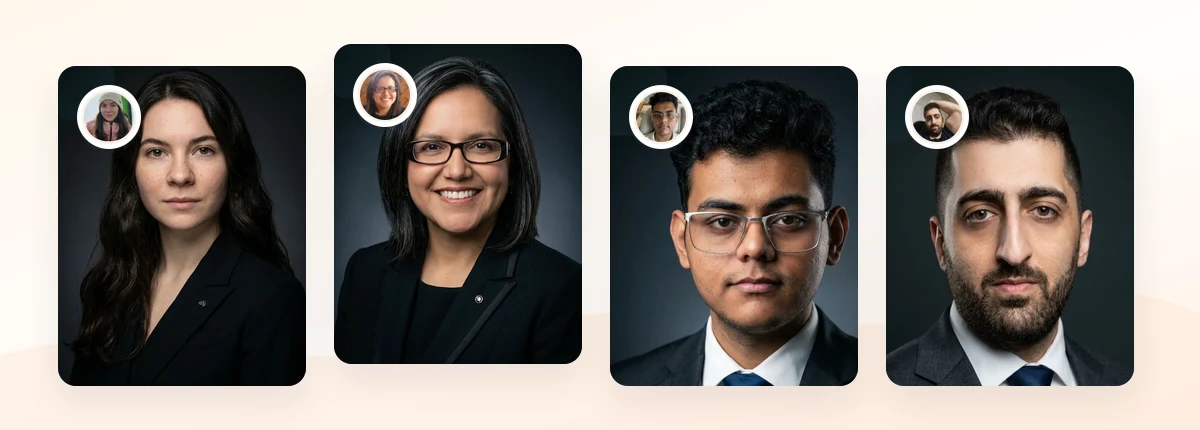
Upload 5-20 everyday photos and get 40-100 polished AI headshots for LinkedIn, resumes, company pages, and executive bios.
15-30 minute delivery • Full commercial rights • One-time payment
Get My Headshots →20 LinkedIn Profile Examples (Annotated)

The table below maps 20 profile types to the single thing that makes each one effective. Use it to find the example closest to your situation, then adapt the pattern, not the exact wording.
| # | Profile type | Why it works |
|---|---|---|
| 1 | Engineer moving into management | Headline names both technical depth and leadership scope |
| 2 | Recent graduate / entry-level | Leads with direction and skills, not years of experience |
| 3 | Freelance designer | States who they serve and the outcome they deliver |
| 4 | Sales leader | Quantifies quota attainment and team growth |
| 5 | Marketing manager | Connects a channel to a business result |
| 6 | Career changer (teacher to UX) | Frames transferable skills as an asset, not a gap |
| 7 | Executive / CEO | Short, confident, focused on vision and scale |
| 8 | Startup founder | Credible without sounding corporate; shows the mission |
| 9 | Independent consultant | Opens with the client problem they solve |
| 10 | Nurse / healthcare | Balances clinical specialty with patient-first tone |
| 11 | Data scientist | Names tools and the decisions those tools support |
| 12 | Product manager | Shows outcomes shipped, not features owned |
| 13 | Realtor | Local market focus plus a clear way to get in touch |
| 14 | Attorney | Balances authority with approachability |
| 15 | Content creator | Clarifies niche and the audience they build for |
| 16 | HR / recruiter | Signals the roles and teams they hire for |
| 17 | Finance analyst | Pairs technical rigor with business impact |
| 18 | Nonprofit professional | Leads with mission and measurable outcomes |
| 19 | Returning-to-work parent | Owns the gap and emphasizes current readiness |
| 20 | Student seeking internship | Specific target role plus relevant coursework or projects |
Notice the pattern across all 20: each one names an audience, a focus, or a result. None of them rely on words like "passionate," "hard-working," or "results-driven" to do the work.
Here are three annotated breakdowns that show the photo, headline, and summary working together.
Example A — Career changer (teacher to UX designer)
- Photo: Warm, approachable headshot with a soft neutral background that reads as modern and confident.
- Headline: "UX Designer | Former educator turning classroom insight into intuitive products" reframes the past as an advantage.
- Summary opener: "I spent eight years learning how people actually learn. Now I design digital products that respect how users think." The transition becomes the story, not an apology.
Example B — Independent consultant
- Photo: Clean studio-style headshot that signals credibility before the first client call.
- Headline: "I help mid-size SaaS teams cut churn with better onboarding," which pairs audience and outcome in one line.
- Summary opener: Starts with the client pain ("Most churn happens in the first 30 days") instead of a job title.
Example C — Recent graduate
- Photo: Simple, bright headshot that looks current rather than like a cropped event photo.
- Headline: "Marketing graduate | Seeking analytics-focused roles | Google Analytics certified," which puts direction over seniority.
- Summary opener: Highlights two concrete projects with results rather than listing coursework alone.
For headline inspiration across more roles, our LinkedIn headline examples break down 75 formats you can adapt in minutes.
LinkedIn Summary and About Section Examples That Convert

Your About section is where visitors decide whether you are worth contacting. The strongest LinkedIn summary examples follow a repeatable structure, which makes them easy to write and easy to skim.
Use this four-part frame:
- Hook (1-2 lines): A specific statement about who you help or what you focus on. These lines show above the fold.
- Proof (2-4 lines): Results, roles, or specialties that back up the hook.
- Human detail (1-2 lines): A sentence that shows personality or motivation without drifting off-topic.
- Call to action (1 line): Tell readers what to do next: connect, message, or visit a portfolio.
Here is a short LinkedIn about section example for a marketing manager:
"I help B2B software companies turn content into qualified pipeline. Over the past six years I have built content programs that drove 3x organic traffic growth and sourced seven-figure pipeline. I care most about the unglamorous part: measuring what actually converts. If you are rethinking your content strategy, send me a message."
And a tighter LinkedIn bio example for a founder, useful when space is limited:
"Founder of a remote-first analytics startup. Previously led data teams at two scale-ups. I write about building lean teams and shipping fast."
A few best practices that apply to every summary:
- Write in first person. It reads as human, not like a job description.
- Break text into short paragraphs with line breaks; dense blocks get skipped on mobile.
- Front-load the most important line, since LinkedIn truncates the About section after a few lines.
- Keep your headline, summary, and photo consistent in tone so the profile feels like one person.
To round out the top of your profile visually, a well-chosen banner reinforces your message. Our LinkedIn banner ideas pair naturally with a strong headshot and summary.
Create Professional Headshots in Minutes
Upload 5-20 everyday photos and get 40-100 polished AI headshots for LinkedIn, resumes, company pages, and executive bios.
15-30 minute delivery • Full commercial rights • One-time payment
Get My Headshots →Common LinkedIn Profile Mistakes to Avoid
Even strong professionals undercut their profiles with a handful of avoidable mistakes. Watch for these:
- Using a cropped social photo. A blurry, dim, or clearly cropped image weakens trust. A clean, current headshot is the single highest-leverage fix.
- Writing a title-only headline. "Marketing Manager" wastes the most valuable line on your profile. Add who you help or what you focus on.
- Starting the summary with a cliché. "Results-driven professional" tells the reader nothing. Open with a specific audience or result.
- Leaving the About section empty. A blank summary signals an inactive profile and removes your chance to tell your story.
- Inconsistent tone. A playful headline over a stiff, corporate summary reads as two different people.
- No call to action. If a visitor is impressed, tell them the next step instead of leaving them to guess.
Fixing even two or three of these in an afternoon can meaningfully change how your profile reads to a recruiter or prospective client.
Final Thoughts
The best LinkedIn profile examples are not the ones with the most impressive job titles. They are the ones where the photo, headline, and summary work together to answer who you are and who you help within seconds. When those three elements line up, your experience and recommendations get the attention they deserve.
Start small. Pick the example closest to your role, adapt the structure to your own story, and rewrite your headline and summary opener first. Then make sure your photo matches the credibility of your words. A clear, current headshot anchors everything above the fold. Prepare a few clean source photos, choose a style that fits your field, and handle the final step in the CTA block below.
Create Professional Headshots in Minutes
Upload 5-20 everyday photos and get 40-100 polished AI headshots for LinkedIn, resumes, company pages, and executive bios.
15-30 minute delivery • Full commercial rights • One-time payment
Get My Headshots →Frequently Asked Questions
Quick answers to the most common questions about building a standout LinkedIn profile.