LinkedIn Profile Picture Background: Best Options for Professional Profiles

Introduction
The best LinkedIn profile picture background is a clean, low-distraction one: a solid white or light gray studio wall, or a softly blurred office. Those options keep the focus on your face, read clearly at small sizes, and signal that you take your professional presence seriously. If you only remember one rule, make it this: the background should support your face, not compete with it.
That single choice matters more than most people expect. Your LinkedIn profile picture background is one of the first things a recruiter, client, or hiring manager processes, often before they read a word of your headline. According to LinkedIn's own profile photo guidance, a clear, current headshot helps people recognize and connect with you, and profiles with photos are far more likely to be viewed.
This guide walks through every realistic option: white, gray, office, outdoor, blurred, brand-color, and AI-generated. You'll get a quick comparison table, decision rules, and the profile-photo crop details most people miss. By the end, you will know exactly which background fits your role and how to prepare a photo that survives LinkedIn's small circular frame.
Key Takeaways
- Simple wins. White, light gray, and softly blurred office backgrounds are the safest, most versatile choices for almost every profession.
- Contrast matters. Your background should contrast with your hair and clothing so your face stands out inside LinkedIn's small circular crop.
- Match your field. Conservative industries favor neutral studio tones; creative and outdoor-facing roles can use context-rich or natural backgrounds.
- Crop early. LinkedIn displays your photo as a tight circle, so busy edges and distant framing usually fail.
- AI backgrounds help. A consistent, professional background can be generated even from casual source photos, so you don't need to book a studio.
What Is a LinkedIn Profile Picture Background?
Your LinkedIn profile picture background is everything behind you in the small circular photo at the top of your profile. Don't confuse it with the wide banner image (the cover photo) that sits behind it. When people say "linkedin headshot background," they almost always mean this circular headshot, because it appears next to every comment, message, and search result you show up in.
The background does two jobs. First, it sets a tone: a neutral studio wall reads as polished and formal, while a blurred office suggests approachability and real-world context. Second, it controls readability. LinkedIn crops your photo into a small circle, so a busy or high-contrast background can crowd your face and make you harder to recognize in a feed.
The main categories professionals choose from are solid neutral colors (white, gray, blue), interior environments (office, workspace), natural or outdoor scenes, blurred versions of any of the above, on-brand color backgrounds tied to a company palette, and AI-generated backgrounds produced from everyday photos. Each has a clear best-use case, which the rest of this guide breaks down. There's no "perfect" background in the abstract. The right one fits your face, your field, and the tiny frame it will live inside.
Why Your LinkedIn Background Matters
First impressions on LinkedIn form fast. A recruiter scanning a list of candidates, or a prospect deciding whether to reply to your message, reacts to your photo before reading anything else. A cluttered, dim, or off-tone background quietly undercuts your credibility, while a clean one lets your expression and professionalism land.
LinkedIn is explicit that a good headshot supports recognition and engagement, and it recommends a clear photo where your face fills most of the frame. Career centers say the same thing: the Columbia University career resources advise a simple, uncluttered background so nothing distracts from your face. When the background does its job, viewers spend their attention on you rather than decoding what is behind you.
There is also a consistency payoff. If you are building a personal brand, or your team needs a unified look across a company page, a repeatable background makes every profile feel like part of the same organization. That is where planning your background, rather than accepting whatever wall you happened to stand near, starts to pay off. For a deeper look at how neutral versus environmental backgrounds compare across settings, our headshot backgrounds guide breaks down the tradeoffs in detail.
How to Choose the Right Background

Start by matching the background to your industry and the impression you want to make. Use the table below as a quick decision aid, then apply the rules that follow.
| Background | Impression | Best for | Watch out for |
|---|---|---|---|
| White | Clean, modern, neutral | Almost any role; tech, healthcare, consulting | Can look flat if lighting is uneven |
| Light / mid gray | Polished, timeless, formal | Finance, law, executives, corporate teams | Too dark a gray can blend with dark hair |
| Office (blurred) | Approachable, in-context | Sales, HR, managers, client-facing roles | Keep it blurred so it never competes with your face |
| Outdoor / natural | Relaxed, personable | Real estate, coaching, creative, outdoor fields | Harsh sun and busy scenery reduce readability |
| Brand color | On-brand, cohesive | Founders, teams unifying a company page | Pick a tone that flatters skin and hair |
| AI-generated | Studio-consistent, flexible | Anyone without studio access; whole teams | Choose natural-looking results, avoid over-stylized edits |
Once you have a shortlist, apply three simple decision rules.
Rule 1: Contrast beats color. Whatever tone you pick, it should differ enough from your hair and clothing that your outline stays crisp. Dark hair against a dark gray wall disappears; a light gray or white background keeps you separated from the frame.
Rule 2: The more conservative the field, the more neutral the background. Finance, law, and executive profiles lean toward white or gray. If you are unsure which studio style suits leadership bios and speaker pages, compare examples in the LinkedIn headshot guide before you shoot or generate anything.
Rule 3: Context only when it adds meaning. A blurred office or a relevant outdoor setting can work, but only if it reinforces your role rather than distracting from it. When in doubt, blur it.
Create Professional Headshots in Minutes
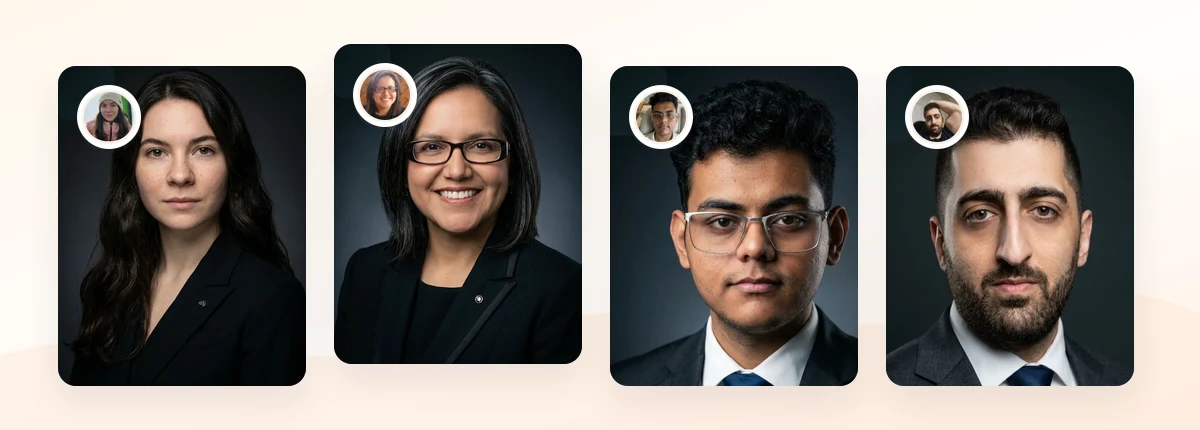
Upload 5-20 everyday photos and get 40-100 polished AI headshots for LinkedIn, resumes, company pages, and executive bios.
15-30 minute delivery • Full commercial rights • One-time payment
Get My Headshots →Best Practices for a LinkedIn-Ready Background

Choosing the right tone is half the work. Presenting it well inside LinkedIn's frame is the other half. These practices apply no matter which background you selected.
Fill the frame with your face. LinkedIn renders your photo as a small circle, so your head and the top of your shoulders should occupy most of the space. A distant shot leaves too much background and makes you unrecognizable at thumbnail size. Frame roughly from the top of your head to your upper chest.
Check the circular crop before you commit. Square source photos get clipped to a circle, which trims corners and can cut off busy edges. Preview how your image looks cropped so a distracting object at the edge does not sneak in. A centered subject on an even background survives this crop cleanly.
Keep lighting even across the background. Uneven light creates shadows and hotspots that turn a simple white wall into a distraction. Soft, front-facing light gives a smooth backdrop and flattering skin tones.
Coordinate wardrobe with the background. Your clothing and background together determine how much you stand out. A dark blazer on a light gray background reads sharp and executive; a light top on a white background can wash out. If you want a full breakdown of what to pair with each backdrop, our guide to what to wear for professional headshots covers colors and layering by role.
Aim for consistency across a team. If colleagues will appear on the same company page, agree on one background family so the profiles look intentional rather than random. A repeatable studio-style or AI-generated background makes that consistency easy.
Keep it current and natural. A background can be clean and still look real. Over-edited or obviously synthetic backdrops can undercut trust, so favor natural-looking results that match how you actually present at work.
Common Mistakes to Avoid
Most weak LinkedIn photos fail on the background, not the face. Watch for these recurring errors.
- Busy or personal settings. Kitchens, parked cars, bedrooms, and party crops signal that the photo was an afterthought. Crop them out or replace them.
- Cropped group photos. A stray shoulder or arm from someone next to you is instantly noticeable in the circular frame and looks unprofessional.
- Too little contrast. Dark clothing and hair against a dark background flatten you into a silhouette. Give yourself separation.
- Distracting patterns. Bookshelves, bright signage, and strong textures pull the eye away from your face at exactly the moment you want attention on you.
- Ignoring the crop. A photo that looks great as a full rectangle can lose its balance once LinkedIn clips it to a circle. Always preview the cropped version.
- Over-processed AI results. An unnaturally smooth or clearly artificial background can look less credible than a plain wall. Choose realistic output.
Related guides: For next steps, use Doctor Headshots: Professional Photos for Healthcare Profiles and Resume Photo or No Resume Photo? When a Headshot Helps to connect this advice with the rest of your professional headshot plan.
Final Thoughts
The right LinkedIn profile picture background is rarely the most interesting one. It's the one that keeps attention on your face and reads clearly at small sizes. White and light gray are the safe, versatile defaults; a blurred office adds approachability for client-facing roles; and outdoor or brand-color backgrounds work when they genuinely reinforce your field. Contrast, framing, and the circular crop matter as much as the color you pick.
Start by gathering a few clear, well-lit source photos, decide which background family fits your industry, and preview how the image looks once cropped to a circle. If you want a consistent, studio-style background without booking a shoot, an AI headshot workflow can produce a polished LinkedIn profile picture background from everyday photos, and the CTA below is the fastest way to try it.
Create Professional Headshots in Minutes
Upload 5-20 everyday photos and get 40-100 polished AI headshots for LinkedIn, resumes, company pages, and executive bios.
15-30 minute delivery • Full commercial rights • One-time payment
Get My Headshots →Frequently Asked Questions
Quick answers to the most common questions about LinkedIn profile picture backgrounds.