Can You Get Headshots at CVS, Walgreens, or Walmart? What They Really Offer

Introduction
Searching for CVS headshots, Walgreens headshots, or Walmart headshots usually means one thing: you are preparing job materials and want a professional photo without booking a studio. Here is the honest answer first. CVS, Walgreens, Walmart, and Target photo counters are built for passport, visa, and ID photos, not professional headshots. They produce a straight-on, flat-lit, regulation-style portrait designed to meet government document rules, not to make you look credible on LinkedIn or a resume.
That distinction matters because an ID photo and a headshot solve different problems. A passport photo exists to identify you under strict formatting rules. A headshot exists to communicate role, approachability, and professionalism to a recruiter, client, or colleague. This guide breaks down what each retailer offers, what it costs, and the practical alternatives that give you a career-ready portrait without overpaying or looking overdone.
Key Takeaways
- No major drugstore or big-box store offers professional headshots. CVS, Walgreens, Walmart, and Target photo services focus on passport, visa, and ID compliance photos.
- Prices are low but the output is not a headshot. Expect roughly $8–$17 for two passport-style prints, with flat lighting and a plain white background.
- A passport photo will look stiff on LinkedIn. It is cropped tight, evenly lit without shaping, and formatted for documents, not profiles.
- Real options exist at every budget, from local photographers to AI headshot tools that deliver polished results in minutes.
- Match the photo to where it will live: resume, LinkedIn, company page, or directory listing each have different expectations.
What Retail Photo Counters Actually Do

A retail photo counter is a self-service or assisted kiosk inside a pharmacy or big-box store. Its core job is printing: photos from your phone, prints from memory cards, holiday cards, and document photos. The "portrait" they advertise is almost always a passport or ID photo service, which is a regulated product with a fixed format.
According to the U.S. Department of State passport photo requirements, a compliant photo must be 2x2 inches, show a neutral expression, use a plain white or off-white background, and avoid shadows on the face. That is the exact look these counters are optimized to produce. It is intentionally flat, centered, and documentary.
Those rules are the opposite of what makes a good headshot. A strong professional headshot uses directional light to shape the face, a background with subtle depth, a flattering crop that includes shoulders, and an expression that reads as confident and approachable. A passport counter is not set up to do any of that, and the staff member running the camera is a retail associate, not a portrait photographer.
So when people type "CVS headshots" into a search bar, they are usually hoping a convenient, affordable counter can double as a portrait studio. It cannot, and understanding why saves you from a disappointing result.
Why the ID-Photo vs Headshot Difference Matters
Your headshot is often the first thing a recruiter, client, or hiring manager sees. A passport-style photo signals "I grabbed whatever was convenient," while a real headshot signals attention to detail and professionalism. The gap is visible even to people who cannot explain it.
The practical differences come down to four things:
- Lighting: Passport photos use flat, even light to avoid shadows for compliance. Headshots use shaping light to add dimension and life.
- Crop: ID photos crop tight to the head and top of shoulders. Headshots typically include more of the shoulders and a bit of breathing room.
- Expression: Passport rules favor a neutral face. A headshot wants a genuine, approachable expression that builds trust.
- Background: ID photos require plain white. Headshots can use neutral gray, soft office tones, or gentle depth that keeps focus on you.
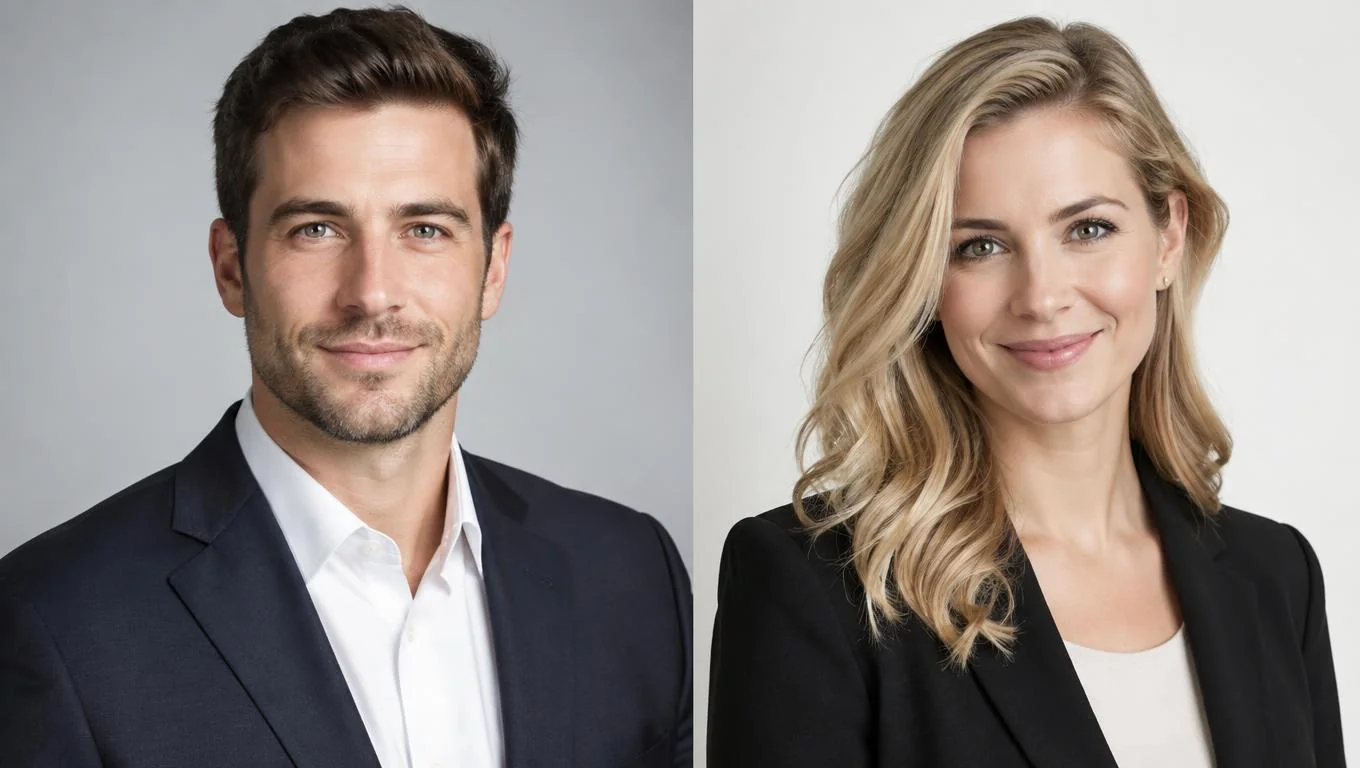
If you want to see what good versus weak portraits look like side by side, the breakdown of professional headshot examples makes the contrast obvious. A document photo almost always lands in the "weak" column for career use, no matter how cheap it was.
What Each Store Really Offers (and What It Costs)
Below is a brand-by-brand breakdown of what you can actually get at each counter. Prices change and vary by location, so treat these as approximate starting points rather than fixed quotes. Every one of these is a document photo service, not a headshot service.
CVS
CVS offers passport and ID photo services at many locations through its photo department. Per the CVS passport photo page, the service produces two 2x2 inch prints that meet government guidelines, typically priced around $17. A staff member takes the photo in-store against a white backdrop. It is fast and compliant, but it is not a professional headshot, and the lighting setup is built for document rules rather than flattering portraits.
Walgreens
Walgreens runs a similar passport and ID photo service in its photo section, generally priced around $16–$18 for a standard passport set. The Walgreens photo counter can also print photos you bring in digitally. If you captured a good self-shot portrait at home, you could print it there, but Walgreens itself will not create a headshot for you. The in-store capture is strictly the regulation ID format.
Walmart
Walmart's photo centers focus on prints and some passport services depending on location, often at a lower price point than drugstores. It is one of the more affordable places for document photos, but the same limitation applies: the output is an ID photo, not a styled portrait. Availability of in-store passport photo capture varies widely by store, so call ahead before you drive over.
Target
Target largely exited standalone photo-counter services years ago, and its in-store pharmacies are operated by CVS. In practice, "Target headshots" is not a real service. If you are near a Target, your realistic route is the CVS pharmacy counter inside for passport photos, or printing a photo you already have. Again, nothing here produces a professional headshot.
Quick Comparison
| Store | Service offered | Approx. price | Produces a headshot? |
|---|---|---|---|
| CVS | Passport / ID photos | ~$17 (2 prints) | No |
| Walgreens | Passport / ID photos, printing | ~$16–$18 | No |
| Walmart | Passport (varies), printing | ~$8–$14 | No |
| Target | No dedicated photo service (CVS pharmacy inside) | N/A | No |
The takeaway is the same across every brand: convenient and cheap, but built for documents. If your goal is a photo for job applications, LinkedIn, or a company bio, you need a different path.
Create Professional Headshots in Minutes
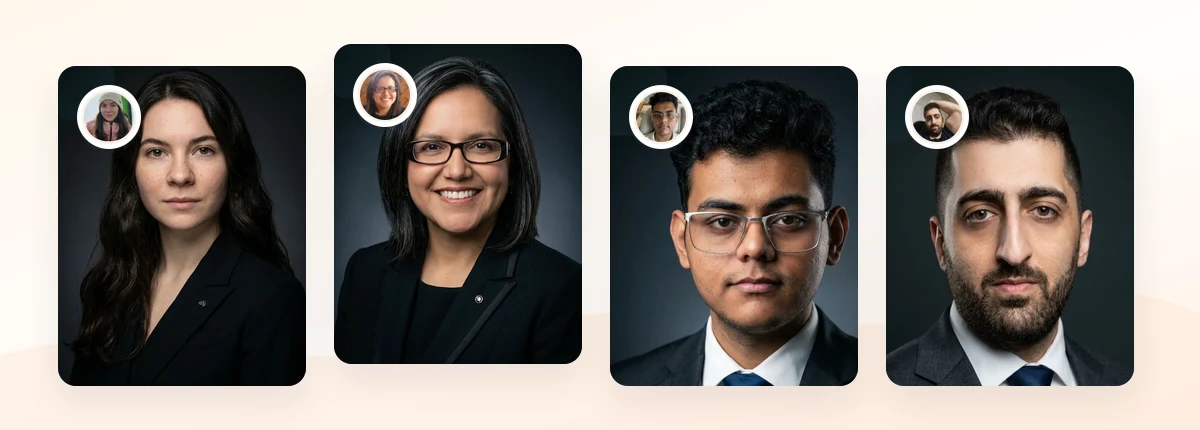
Upload 5-20 everyday photos and get 40-100 polished AI headshots for LinkedIn, resumes, company pages, and executive bios.
15-30 minute delivery • Full commercial rights • One-time payment
Get My Headshots →Better Options for a Real Professional Headshot

Once you accept that a drugstore counter cannot do the job, your real choices fall into three tiers. Each fits a different budget and timeline, and they all beat a passport photo for career use.
1. A local professional photographer. This gives you live direction, custom lighting, and one-off artistry. It is the most expensive and slowest route, and quality varies by who you book. If you want a comparison of what studios and photographers typically charge, see the full professional headshot cost breakdown before committing.
2. A self-shot portrait at home. With a modern phone, a window for soft light, and a clean wall, you can get a usable portrait. It takes practice and attention to framing, but it is free. The step-by-step approach in our guide on professional headshots at home covers the basics of light, angle, and background.
3. AI headshots. AI tools turn a handful of everyday photos into dozens of polished, studio-style portraits in minutes. They sit between a self-shot and a photographer on both price and consistency, and they work well when you need options for LinkedIn, a resume, and a company page from a single upload. If your photo is specifically for job applications and your profile, compare styles on our LinkedIn headshots page to match local expectations without looking overdone.
Whichever route you pick, a few best practices keep the result professional:
- Wear what you would wear to an interview in your field; see our guide on what to wear for professional headshots.
- Choose a neutral or subtly textured background rather than stark document white.
- Aim for a relaxed, confident expression, not a passport-style neutral stare.
- Keep the crop natural: head and shoulders with a little breathing room.
Common Mistakes to Avoid
People preparing job materials on a budget tend to make the same few errors. Avoid these and you will look far more polished than the average applicant.
- Using a passport photo as a LinkedIn or resume picture. It is the single most common mistake. The flat lighting and tight crop read as a document, not a professional.
- Assuming "photo service" means "portrait service." Retail counters print and capture ID photos; they do not style or direct a portrait.
- Over-editing to compensate. Heavy filters on a weak base photo look worse, not better. Start with good source material instead.
- Ignoring where the photo will live. A resume photo, a LinkedIn photo, and an actor's casting photo have different norms. Match the context.
- Skipping research on defunct studios. If you were counting on mall studios, note that many are gone; our piece on Sears Portrait Studio alternatives covers where to go now.
Final Thoughts
If you came here hoping for quick CVS headshots, the honest answer is that CVS, Walgreens, Walmart, and Target offer passport and ID photos, not professional headshots. Those services are cheap and convenient, but they produce a flat, document-style image that will not do your resume or LinkedIn profile any favors.
The good news is that a genuinely professional portrait is within reach at every budget. Start with clear source photos, choose a style that fits where the image will appear, and avoid the trap of repurposing a passport photo for career use. For a wider view of your choices, the overview of where to get professional headshots compares each path in detail. When you are ready to create a career-ready portrait in minutes, the CTA below is the fastest way to get started.
Create Professional Headshots in Minutes
Upload 5-20 everyday photos and get 40-100 polished AI headshots for LinkedIn, resumes, company pages, and executive bios.
15-30 minute delivery • Full commercial rights • One-time payment
Get My Headshots →Frequently Asked Questions
Does CVS take professional headshots?
No. CVS offers passport and ID photo services, typically around $17 for two prints, taken against a plain white background to meet government document rules. That is not a professional headshot. For career use, a photographer, an at-home portrait, or an AI headshot tool will give you a far more flattering, usable result.
Can Walgreens or Walmart make a LinkedIn headshot?
Not directly. Both offer passport-style photo capture and printing, but neither styles or directs a portrait. You could print a good self-shot photo there, but the in-store photo they take is formatted as an ID image with flat lighting and a tight crop that looks stiff on LinkedIn.
How much do drugstore passport photos cost?
Expect roughly $8–$18 for a standard set of two passport-style prints, depending on the retailer and location. Walmart tends to be cheaper, while CVS and Walgreens are usually around $16–$18. Prices change often, so confirm with your local store before visiting.
Why does a passport photo look bad on a resume or LinkedIn?
Passport photos are built for compliance, not presentation. They use flat lighting with no shaping, a tight crop, a neutral expression, and a stark white background. Those traits make the image read as a document instead of a confident, approachable professional portrait.
What is the cheapest way to get a real professional headshot?
A well-lit self-shot portrait at home costs nothing if you have a modern phone. The next step up is an AI headshot tool, which turns a few everyday photos into dozens of polished options for a one-time fee, usually far below the cost of a studio session while delivering results in minutes.