Email Signature Examples: 40 Professional Templates for 2026

Introduction
If you want ready-to-use email signature examples, start here: a strong professional email signature includes your name, role, company, one phone number, and one or two links people actually need. Everything else is optional. Below you get 40 copy-paste templates organized by role and industry, so you can grab the closest match and adjust it in under a minute.
Your signature is the last thing every recipient sees. Recruiters, clients, and colleagues use it to confirm who you are, how to reach you, and whether you look credible. A cluttered block of quotes, logos, and legal disclaimers does the opposite of what you want. This guide keeps each email signature template clean, mobile-friendly, and easy to trust.
We will cover what belongs in a professional email signature, why it matters, how to build one step by step, the templates themselves, best practices, and the mistakes that quietly undermine your credibility.
Key Takeaways
- Keep it to 4-7 lines. Name, title, company, one phone number, and one or two links cover most professional needs.
- Match the signature to your role. A sales rep needs a booking link; a lawyer may need a confidentiality note; a founder needs a company URL.
- Design for mobile and dark mode. Over half of email is opened on phones, so avoid wide logos and low-contrast gray text.
- A small headshot builds recognition. A clean, professional profile photo helps external contacts remember you across email, LinkedIn, and your website.
- Use one consistent format across your team so company email looks coordinated instead of improvised.
What Is a Professional Email Signature?
A professional email signature is the standardized block of text and contact details that appears at the bottom of your outgoing messages. It replaces a hand-typed "Thanks, Jordan" with a consistent, scannable identity card that tells the reader who you are and how to follow up.
Most email clients let you save a default signature that attaches automatically to new messages and replies. You set it once, and it works quietly on every email you send afterward. The goal is not decoration. The goal is fast recognition and easy contact.
A modern signature usually contains three layers:
- Identity: your full name and professional title.
- Affiliation: your company or practice name, and sometimes a logo or headshot.
- Contact and proof: phone number, website, and one or two links such as LinkedIn or a booking page.
Here is the difference between a bare and a professional version:
| Element | Bare signature | Professional signature |
|---|---|---|
| Name | First name only | Full name |
| Role | Missing | Title + company |
| Contact | Email only | Phone + one primary link |
| Trust signal | None | Headshot or company site |
| Format | Plain text | Consistent, mobile-friendly |
Why Email Signatures Matter
You may send dozens of emails a day, and each one carries a first or repeat impression. A polished signature makes it easy for someone to verify your title, confirm your company, and reach you without hunting through the message thread.
Signatures also protect you from small credibility leaks. A missing title makes people unsure of your seniority. A broken logo or a giant image that fails to load looks careless. Many email clients block external images by default, so signatures that depend entirely on a hosted graphic can show up as an empty box on the recipient's screen, according to email rendering research from Litmus. Text-first signatures survive those conditions.
For client-facing and job-search contexts, the signature is a quiet branding tool. When your email, LinkedIn profile, and company page all show the same name, title, and headshot, you become easier to remember and easier to trust. That consistency is why so many professionals treat the signature as part of their personal brand, not an afterthought.
Some regions also expect specific details in business email. Companies in the UK and parts of the EU are generally expected to include registration details in electronic communications, per guidance on business communications from the UK's GOV.UK. Check your local rules before finalizing a company-wide format.
How to Build Your Signature (Plus 40 Templates)

Building a professional email signature takes about five minutes. Follow these steps, then copy the closest template below.
- List your essentials. Full name, title, company, one phone number, and your primary link.
- Pick one primary link. Booking page for sales, portfolio for creatives, LinkedIn for job seekers.
- Choose a format. Stacked lines for mobile, or a two-column layout if you add a headshot.
- Add a headshot if it helps. Recommended for client-facing and networking roles; skip for internal-only email.
- Test it. Send yourself an email and open it on a phone, in dark mode, and with images off.
If you would rather skip the manual formatting, our email signature generator turns these fields into a clean, ready-to-paste block. Below are 40 copy-paste examples grouped by role and industry.
General & Corporate (1-6)
1. General professional
Jordan Lee
Marketing Manager, Acme Co.
(555) 123-4567 | jordan.lee@acme.com
acme.com | LinkedIn
2. Minimal one-line
Jordan Lee — Marketing Manager, Acme Co.
(555) 123-4567 | acme.com
3. Corporate with department
Jordan Lee
Senior Analyst | Finance Department
Acme Co. | (555) 123-4567
acme.com
4. Hybrid worker
Jordan Lee
Operations Lead, Acme Co.
Mobile: (555) 123-4567 | Remote (PT)
linkedin.com/in/jordanlee
5. Internal email (short)
Jordan Lee
Project Manager, Acme Co.
ext. 204
6. Bilingual contact
Jordan Lee | Account Manager
Acme Co. | EN / ES
(555) 123-4567 | acme.com
Executive & Leadership (7-11)
7. CEO / founder
Morgan Reyes
Chief Executive Officer, Northwind Inc.
(555) 987-6543 | northwind.com
LinkedIn
8. Director
Morgan Reyes
Director of Product, Northwind Inc.
morgan@northwind.com | northwind.com
9. VP with assistant
Morgan Reyes
VP, Sales | Northwind Inc.
Scheduling: alex@northwind.com
northwind.com
10. Board / advisor
Morgan Reyes
Board Member, Northwind Inc.
Advisor to early-stage founders
linkedin.com/in/morganreyes
11. Executive with speaker link
Morgan Reyes
Chief Marketing Officer, Northwind Inc.
Speaking & press: northwind.com/press
Sales & Business Development (12-16)
12. Sales rep with booking link
Casey Nguyen
Account Executive, Brightpath
(555) 222-1111 | Book a call: brightpath.com/casey
13. SDR / outbound
Casey Nguyen
Sales Development Rep, Brightpath
casey@brightpath.com | LinkedIn
14. Regional sales
Casey Nguyen
Regional Sales Manager (West), Brightpath
(555) 222-1111 | brightpath.com
15. Account manager
Casey Nguyen
Customer Success Manager, Brightpath
Support: help.brightpath.com
16. Sales with promo line
Casey Nguyen | Enterprise Sales, Brightpath
Now booking Q1 demos: brightpath.com/demo
Real Estate (17-20)
17. Realtor
Taylor Brooks, REALTOR®
Summit Realty | License #01234567
(555) 333-2222 | summitrealty.com
18. Realtor with headshot note
Taylor Brooks, REALTOR®
Summit Realty
(555) 333-2222 | Listings: summitrealty.com/taylor
19. Broker
Taylor Brooks
Broker/Owner, Summit Realty
Lic. #01234567 | (555) 333-2222
20. Property manager
Taylor Brooks
Property Manager, Summit Realty
Maintenance requests: summitrealty.com/support
Healthcare (21-24)
21. Physician
Dr. Priya Shah, MD
Family Medicine, Cedar Health
Appointments: (555) 444-3333
22. Nurse practitioner
Priya Shah, MSN, FNP-C
Cedar Health Clinic
cedarhealth.org
23. Therapist
Priya Shah, LCSW
Licensed Clinical Social Worker
Confidential line: (555) 444-3333
24. Clinic admin
Priya Shah
Practice Manager, Cedar Health
Billing & scheduling: cedarhealth.org/contact
Legal (25-28)
25. Attorney
Jordan Ellis, Esq.
Associate Attorney, Ellis & Park LLP
(555) 555-1212 | ellispark.com
26. Partner
Jordan Ellis
Partner, Ellis & Park LLP
Corporate & Contracts | ellispark.com
27. Attorney with disclaimer
Jordan Ellis, Esq. | Ellis & Park LLP
(555) 555-1212
Confidentiality Notice: This email may contain privileged information.
28. Paralegal
Jordan Ellis
Paralegal, Ellis & Park LLP
ellispark.com
Consultants & Freelancers (29-32)
29. Independent consultant
Avery Cole
Management Consultant
averycole.com | Book: averycole.com/call
30. Freelance designer
Avery Cole
Brand & Web Designer
Portfolio: averycole.design
31. Coach
Avery Cole, ICF Certified Coach
Leadership & Career Coaching
averycole.com
32. Contractor / trades
Avery Cole
General Contractor, Cole Builds
Lic. #778899 | (555) 666-7777
Marketing & Creative (33-35)
33. Content marketer
Sam Rivera
Content Marketing Lead, Lumen Studio
lumenstudio.com | LinkedIn
34. Photographer / creative
Sam Rivera
Commercial Photographer
Portfolio: samrivera.photo
35. Social media manager
Sam Rivera
Social Media Manager, Lumen Studio
@lumenstudio | lumenstudio.com
Tech & Startup (36-40)
36. Software engineer
Jesse Kim
Senior Software Engineer, Corevex
github.com/jessekim
37. Product manager
Jesse Kim
Product Manager, Corevex
corevex.io | LinkedIn
38. Startup founder
Jesse Kim
Co-founder & CEO, Corevex
We're hiring: corevex.io/careers
39. Developer advocate
Jesse Kim
Developer Advocate, Corevex
corevex.io/docs | @jessekim
40. Support engineer
Jesse Kim
Customer Support, Corevex
Help center: support.corevex.io
Create Professional Headshots in Minutes
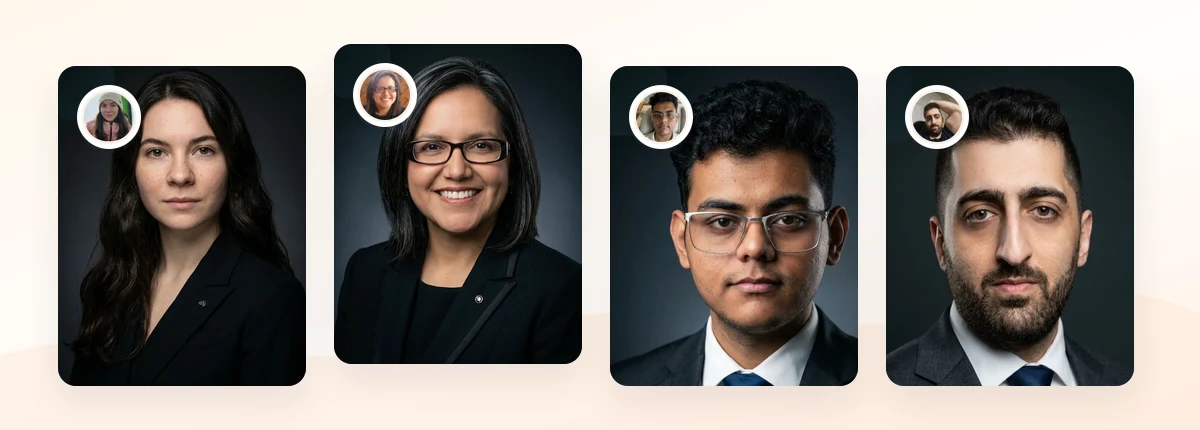
Upload 5-20 everyday photos and get 40-100 polished AI headshots for LinkedIn, resumes, company pages, and executive bios.
15-30 minute delivery • Full commercial rights • One-time payment
Get My Headshots →Best Practices for a Professional Email Signature

Once you pick a template, refine it with these rules so it works everywhere your email lands.
- Cap it at 4-7 lines. Recipients scan signatures; they do not read them. Extra lines dilute the useful ones.
- Use one phone number and one primary link. Multiple numbers and five social icons create decision friction.
- Keep contrast high. Light gray text on white can vanish in dark mode. Stick to dark text on transparent backgrounds.
- Avoid inspirational quotes. They read as personal, not professional, on work email.
- Match your team format. Consistent signatures make company email look coordinated, the same way matched company headshots make a team page look intentional.
Adding a Headshot to Your Signature
A small, well-lit headshot in your signature helps external contacts connect a name to a face, which is useful in sales, real estate, coaching, and any relationship-driven role. Keep it around 80-100px square, use a clean background, and match the same photo you use on LinkedIn and your company page so people recognize you across channels.
The photo has to look intentional, not like a cropped party snapshot. If you need a consistent, current image, you can generate polished business headshot options from everyday photos, then reuse the same portrait in your signature, profile, and bio. For ideas on what reads as credible versus distracting, review these professional headshot examples before you choose.
One caveat: because some email clients block images by default, never put critical details like your phone number inside the image. Keep text as text, and let the headshot be a bonus, not a dependency.
Create Professional Headshots in Minutes
Upload 5-20 everyday photos and get 40-100 polished AI headshots for LinkedIn, resumes, company pages, and executive bios.
15-30 minute delivery • Full commercial rights • One-time payment
Get My Headshots →Common Mistakes to Avoid
Most weak signatures fail in the same predictable ways. Watch for these:
- Too much information. Home address, fax number, three phone lines, and every social icon overwhelm the reader and bury the one link that matters.
- Image-only signatures. If your entire block is a single graphic, blocked images leave recipients with a blank rectangle and no way to contact you.
- Oversized logos. A wide banner breaks the layout on mobile and pushes your name off screen.
- Outdated details. An old title or a dead phone number quietly damages trust. Update your signature whenever your role changes.
- Mismatched photos. A blurry or inconsistent headshot works against you. If you add a photo, make it match your other profiles.
- Long disclaimers on every email. Unless legally required, a five-line confidentiality notice on a two-word reply looks excessive.
Fixing these is usually a matter of deletion, not addition. When in doubt, cut a line and see if anything important is actually lost.
Final Thoughts
A professional email signature should let a recruiter, client, or colleague understand your role, verify your company, and reach you in a single glance. The best email signature examples in this guide share the same discipline: a few essential lines, one primary link, and formatting that survives mobile screens and blocked images.
Pick the template closest to your role, trim anything you would not miss, and keep your details current as you change jobs or titles. If you add a headshot, use one clean, professional photo across your signature, LinkedIn, and company page so people recognize you everywhere. Start with your essentials, choose a format that fits your channel, and use the CTA below when you need a polished portrait to complete the look.
Create Professional Headshots in Minutes
Upload 5-20 everyday photos and get 40-100 polished AI headshots for LinkedIn, resumes, company pages, and executive bios.
15-30 minute delivery • Full commercial rights • One-time payment
Get My Headshots →Frequently Asked Questions
Quick answers to the most common email signature questions.