Company Headshots: How to Organize Team Photos That Match

Introduction
Company headshots go wrong for one main reason: nobody owns the workflow. Each person uploads a different crop, background, and lighting style, and your team page ends up looking like a collage of strangers. If you are an HR lead or founder trying to get consistent business headshots across a team without coordinating a full studio photoshoot, the fix is process, not talent.
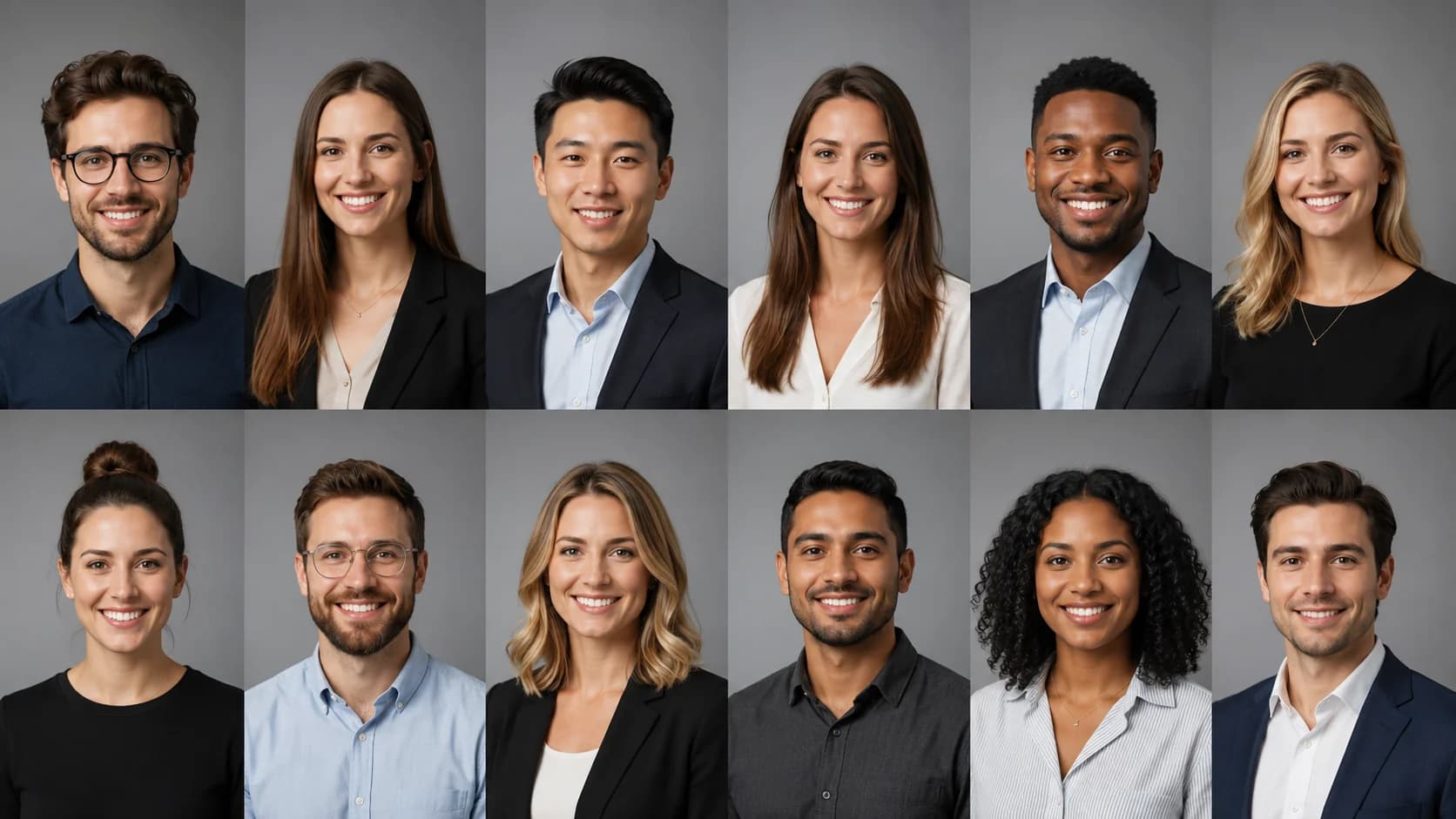
This guide focuses on the organizational side: how to set specifications, coordinate remote and in-office staff, review submissions, and maintain the look as people join and leave. Consistency is a brand asset. A directory where every portrait shares the same crop, background tone, and framing signals that your organization pays attention to detail, and it makes your leadership page, careers site, and proposal decks feel cohesive.
We will keep the styling advice light and spend most of the time on the logistics that actually break down at scale.
Key Takeaways
- Assign one owner. Company headshots stay consistent only when a single person or small committee controls the spec and approves every image.
- Write the spec before you collect photos. Background, crop, aspect ratio, and file naming should be documented so remote staff can self-serve.
- Batch, do not scramble. Collect source photos, generate or shoot, review, then publish in waves rather than one person at a time.
- Plan for turnover. Keep the prompt, background, and settings on file so new hires can match the existing set months later.
Company Headshot Requirements

Company headshots do a different job than an individual LinkedIn photo. On a personal profile, some variety is fine. Across a team page, variety reads as inconsistency. The goal is a set that looks like it was captured in the same session even when your people are spread across cities and time zones.
At minimum, define these variables and hold everyone to them:
| Variable | Recommended standard | Why it matters |
|---|---|---|
| Background | One neutral tone (white, light gray, or a single brand color) | Mixed backgrounds are the most visible inconsistency on a team page. |
| Crop | Head-and-shoulders, eyes on the upper third | Uniform framing makes a grid feel deliberate. |
| Aspect ratio | 1:1 square for most directories | Square crops render cleanly on websites and CMS templates. |
| Lighting | Even, front-facing, minimal shadow | Matching light is what sells the "same session" effect. |
| Attire | Business or smart-casual, per your brand | A shared dress guideline prevents one person in a hoodie next to one in a suit. |
You do not need to dictate expression down to the smile. You do need to fix the four or five variables above, because those are the ones your eye catches first. For deeper styling detail on tone and framing, our company website headshots style guide covers the visual choices this workflow assumes are already decided.
AI Headshot Strategy for Company Teams
The old model was a photographer visiting the office for a day, which excludes anyone remote and creates a follow-up problem every time someone new starts. AI professional headshots change the logistics because each person can submit source photos from wherever they are, and you can generate matching results against a shared specification.
Here is the coordination advantage. Instead of scheduling a shared calendar slot, you distribute one brief, collect source selfies, and produce a batch that all uses the same background and framing rules. Remote-first companies are now a large share of the workforce, so this flexibility is not a niche need. According to Pew Research Center, a substantial portion of workers whose jobs can be done remotely now work from home most or all of the time, which makes a location-independent process the practical default.
A good AI workflow for company headshots looks like this:
- Standardize the input. Tell everyone how many source photos to send, what lighting to shoot in, and what to avoid (sunglasses, group shots, heavy filters).
- Lock the output settings. Choose one background and one crop, then apply them to every person so the set matches.
- Review as a batch. Look at the full grid together, not one profile at a time, so mismatches are obvious.
For teams that are distributed across locations, our guide to remote team headshots walks through collecting source photos from staff who will never be in the same room. If you want the AI-versus-studio tradeoff spelled out for a whole department, corporate headshots for teams compares the two approaches. When you are ready to standardize your organization's set, the dedicated company headshots page is built around exactly this team-consistency use case.
Create Professional Headshots in Minutes
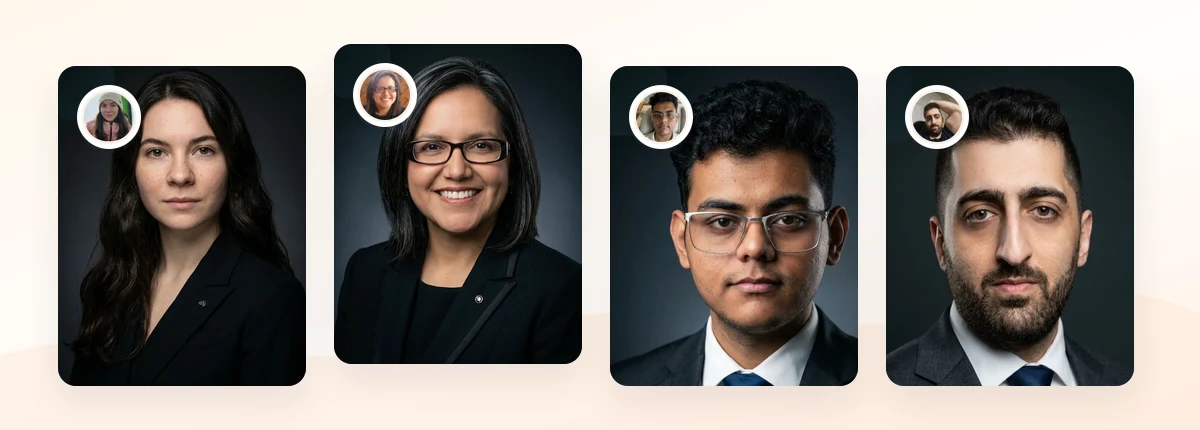
Upload 5-20 everyday photos and get 40-100 polished AI headshots for LinkedIn, resumes, company pages, and executive bios.
15-30 minute delivery • Full commercial rights • One-time payment
Get My Headshots →What Works for Company Headshots
The teams that end up with a clean, matching set tend to share a few habits. They treat headshots as a small operations project with a deadline, not an open-ended request that trickles in over months.
A single documented spec. One short page that lists background, crop, attire, and file naming removes ambiguity. When staff can read the rules instead of guessing, review rejections drop sharply.
One approver. A designated reviewer who checks each image against the spec keeps quality even. Approval by committee slows things down. Approval by one trained eye keeps the bar consistent.
A shared background and light setup. The most convincing team pages match on background tone and lighting direction. If you standardize nothing else, standardize these two. For options and tradeoffs, our headshot backgrounds guide breaks down white, gray, office, and outdoor choices.
A light dress guideline. You do not need a uniform. A one-line rule such as "solid colors, business or smart-casual, no busy patterns" is enough to keep the grid coherent without micromanaging wardrobes.
A repeatable file. Save the exact settings and prompt you used. Six months from now, a new hire's photo can match the original batch instead of standing out.
What to Avoid for Company Headshots
Most mismatched team pages fail on the same handful of mistakes. Watch for these:
- Letting everyone self-select backgrounds. This is the number one cause of inconsistency. One person's kitchen, another's office wall, and a third's white studio will never look like a set.
- Mixing old and new photos. Combining a headshot from two years ago with fresh ones creates obvious differences in framing and quality. Refresh the whole team at once when you can.
- No naming convention. Files like "IMG_4821.jpg" create chaos for whoever uploads to the CMS. Use "firstname-lastname.jpg" from the start.
- Skipping the review grid. Approving photos one at a time hides mismatches that jump out when you see them side by side.
- Ignoring turnover. If you do not save the recipe, every new hire becomes a one-off that breaks the pattern.
- Over-editing. Heavy retouching that removes natural texture makes headshots look artificial. If AI results look too glossy, our guide on fixing unnatural AI headshots shows how to dial them back.
Keep claims about the photos honest, too. A polished set builds a credible first impression, but it will not compensate for a page that is otherwise unclear about roles and titles.
Step-by-Step: Optimizing Your Company Headshot Workflow

Run your team headshots as a short project with clear phases. Here is a workflow that scales from a five-person startup to a distributed department.
- Assign an owner and set a deadline. One person controls the spec, chases stragglers, and approves the final set. Give the whole effort a two-week window.
- Write the one-page spec. Document background, crop, aspect ratio, attire guideline, and file naming. Include one or two example images so people can see the target.
- Collect source photos. Ask each person for 5-20 clear, recent selfies in even lighting. Share a short shot list of what to avoid. For guidance you can forward to staff, our taking headshots at home guide covers source-photo basics.
- Generate or shoot in one batch. Apply the same background and crop settings to everyone so the output matches from the start.
- Review the full grid. Lay every headshot out together. Flag any that break on background tone, crop height, or lighting, and regenerate those.
- Publish in one wave. Upload the approved set to your website, directory, and internal tools at the same time so the change is uniform.
- Document the recipe. Save the background, crop, and settings for onboarding. New hires follow the same steps and slot into the existing look.
This structure keeps the quality bar even and, critically, survives turnover. The recipe is the part most teams forget, and it is what turns a one-time project into a maintainable standard.
Create Professional Headshots in Minutes
Upload 5-20 everyday photos and get 40-100 polished AI headshots for LinkedIn, resumes, company pages, and executive bios.
15-30 minute delivery • Full commercial rights • One-time payment
Get My Headshots →Final Thoughts
Consistent company headshots come from a clear owner, a written spec, and a batch process, not from anyone's photography skill. When you fix the background, crop, lighting, and attire rules up front, and review the whole set as a grid, your team page reads as intentional and credible. That coherence is a quiet brand signal that visitors, candidates, and clients notice before they read a single bio.
Start by naming one owner and drafting the one-page spec this week. Collect source photos, produce the set in a single wave, and save the recipe so every future hire matches. Handle the direct setup through the CTA above when your team is ready to standardize its look. Do that once, and consistent corporate headshots become a repeatable standard instead of a recurring scramble.
FAQ
Common questions from HR leads and founders organizing company headshots.
How do I keep company headshots consistent across a remote team?
Write one spec that fixes background, crop, aspect ratio, lighting, and attire, then apply those settings to every person's photos in a single batch. Review the full set as a grid rather than one profile at a time, and save the settings so future hires can match.
Do we need a photographer to visit the office for team headshots?
No. An AI headshot workflow lets each person submit source selfies from anywhere, which suits remote and hybrid teams. You apply one shared background and crop to produce a matching set without scheduling a shared studio session.
What is the biggest cause of mismatched team photos?
Letting each person choose their own background. Different walls, rooms, and lighting are the most visible inconsistency on a team page. Standardize on one neutral tone and one lighting direction to fix it.
How should we name and organize the final headshot files?
Use a simple convention like "firstname-lastname.jpg" from the start so whoever uploads to your CMS or directory can work quickly. Keep the source photos, prompt, and settings in one folder for onboarding new hires later.
How do we handle new hires without breaking the look?
Document the exact background, crop, and settings you used for the original batch. When someone new joins, run their source photos through the same recipe so their headshot slots into the existing set instead of standing out.