ProfessionalHeadshot.io Review 2026: Quality, Pricing, and How It Works

If you are reading a ProfessionalHeadshot.io review before you pay, you want two answers fast: are the headshots good enough to use on LinkedIn and a company page, and is the price fair for what you get. Short version: yes, the results are solid for most professional profiles, delivery is quick, and the pricing is a one-time payment rather than a subscription. The main tradeoffs are the ones every AI headshot tool shares, which we cover honestly below.
This is a first-person walkthrough. I uploaded my own everyday photos, generated a batch, and looked at the good frames alongside the weak ones. I also compared the BASIC, PRO, and EXECUTIVE tiers so you can see what actually changes as you move up. No hype, no guaranteed-interview claims, just what the tool does well and where it still needs a human eye.
Key Takeaways
- Best for: professionals who need a clean LinkedIn, resume, or company-page photo without booking a studio.
- Quality: most frames look natural and usable; expect to keep roughly a third and discard the rest, which is normal for AI headshots.
- Speed: results arrive in about 15 to 30 minutes, far faster than scheduling a shoot.
- Pricing: one-time payment across three tiers, so cost scales with how many styles and outfits you want.
- Limitations: output quality depends heavily on your source photos, and a small share of frames show typical AI artifacts around hands, ears, and glasses.
What Is ProfessionalHeadshot.io?
ProfessionalHeadshot.io is an AI professional headshot service. You upload a set of everyday photos of yourself, the system trains on your likeness, and it generates a batch of studio-style portraits in a range of backgrounds and outfits. The goal is a polished, natural-looking headshot you can use across LinkedIn, resumes, company websites, speaker bios, and directory profiles.
It sits in the same category as tools I have tested elsewhere. If you want the full landscape, our roundup of the best AI headshot generators in 2026 compares eight options side by side. ProfessionalHeadshot.io competes on a few specific points: fast turnaround, a one-time price instead of a recurring subscription, and full commercial usage rights on the images you download.
Under the hood, the workflow is the standard train-then-generate pipeline. If you are curious about what that means in practice, we break it down in how AI headshots work. The important takeaway for a buyer is simple: the model learns your face from the photos you provide, so the frames it returns are only as good as the raw material you feed it. Blurry, heavily filtered, or poorly lit source shots produce weaker results across every AI headshot tool, not just this one.
Why This Review Matters Before You Buy
A headshot sets the tone before anyone reads a word of your profile. LinkedIn's own guidance notes that a clear, professional profile photo helps you make a stronger first impression, which is why a weak or outdated photo quietly costs you credibility (LinkedIn Help). So the real question is whether the tool works well enough for the specific place this photo will live.
That distinction matters because expectations differ by use case. A LinkedIn thumbnail is forgiving. A large hero image on a company leadership page is not. A casting profile has its own rules entirely, which is why we keep acting headshots in a separate lane. This review focuses on standard professional and business use, where ProfessionalHeadshot.io is a strong fit for most people.
The other reason to read carefully is money. Studio headshot sessions commonly run well into the hundreds of dollars depending on your city and photographer, according to consumer pricing data (Thumbtack cost guide). An AI service changes that math, but only if the output quality clears your bar. That is exactly what the walkthrough below is meant to help you judge.
Create Professional Headshots in Minutes
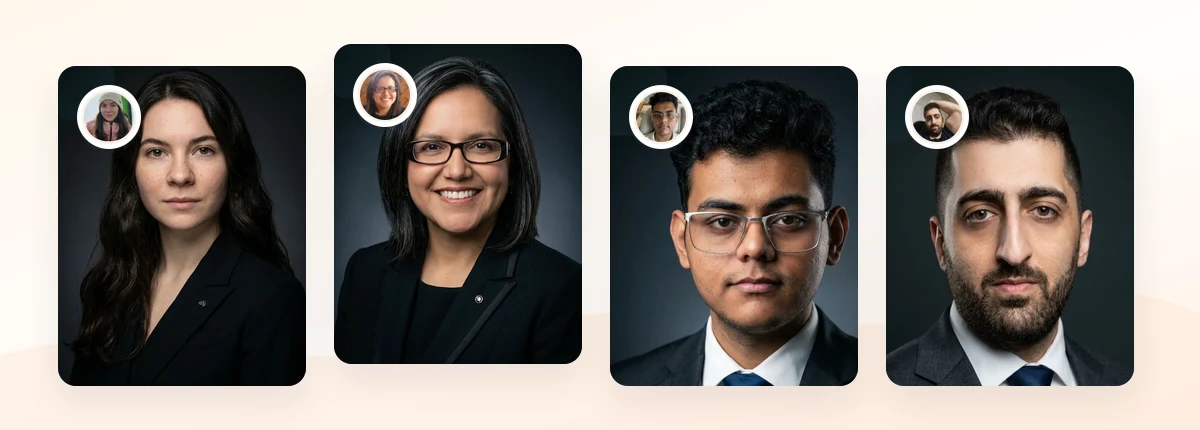
Upload 5-20 everyday photos and get 40-100 polished AI headshots for LinkedIn, resumes, company pages, and executive bios.
15-30 minute delivery • Full commercial rights • One-time payment
Get My Headshots →How It Works: My Step-by-Step Walkthrough
Here is exactly how the process ran for me, start to finish, with the results I actually got.
Step 1: Prepare and upload source photos
You upload between 5 and 20 everyday photos. I used a mix of recent phone selfies and casual portraits with clear lighting and a visible face. The tool asks for variety in angle and expression, which genuinely helps. My first small mistake was including two dim indoor shots, and I could see later that frames influenced by those photos came out muddier.
Step 2: Choose styles and start generation
You pick backgrounds and outfit styles depending on your tier. Then the model trains on your likeness and begins generating. This is the wait, and it was short, roughly in the 15 to 30 minute range the site advertises. No back-and-forth scheduling, no travel.
Step 3: Review the batch honestly

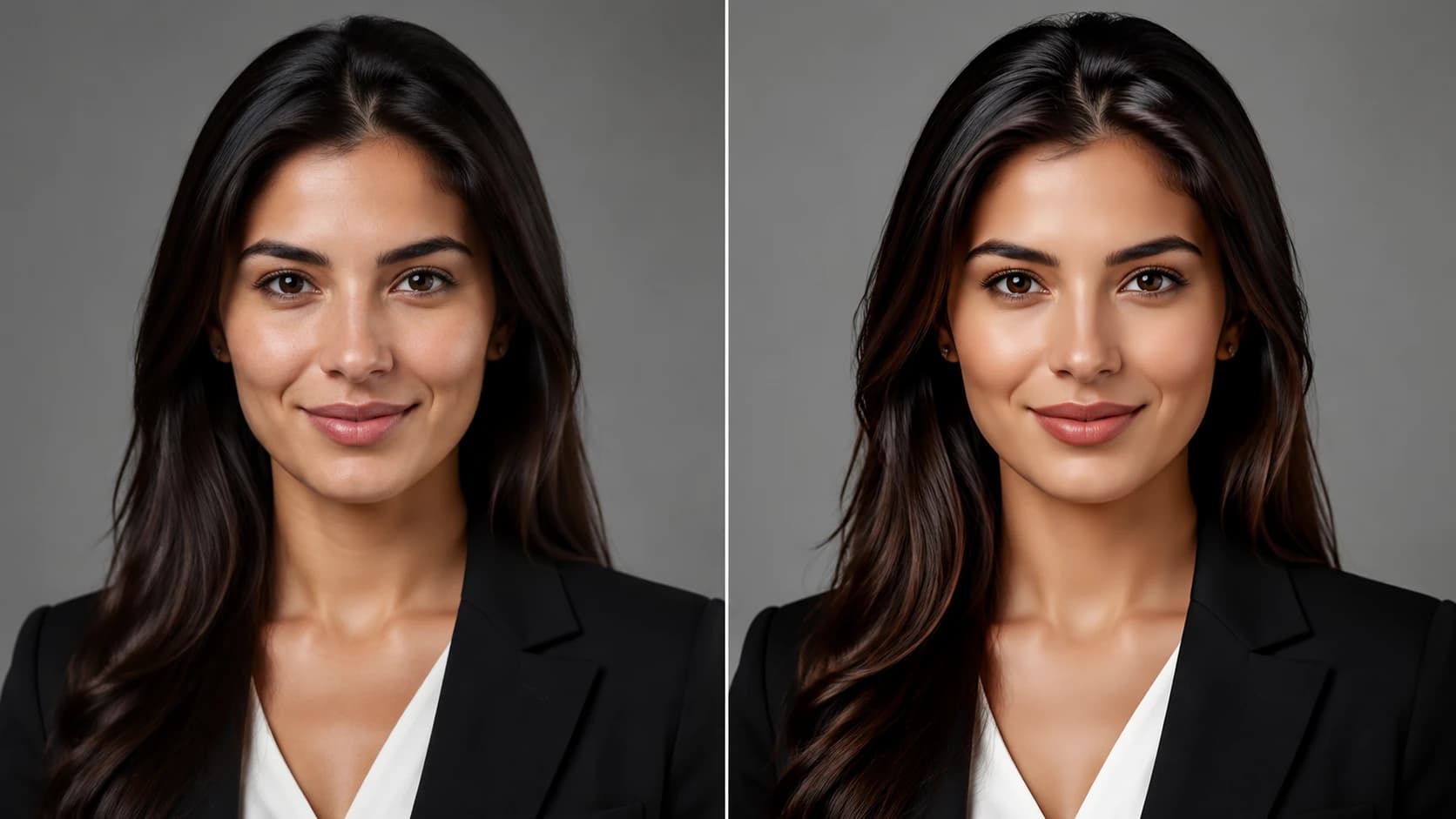
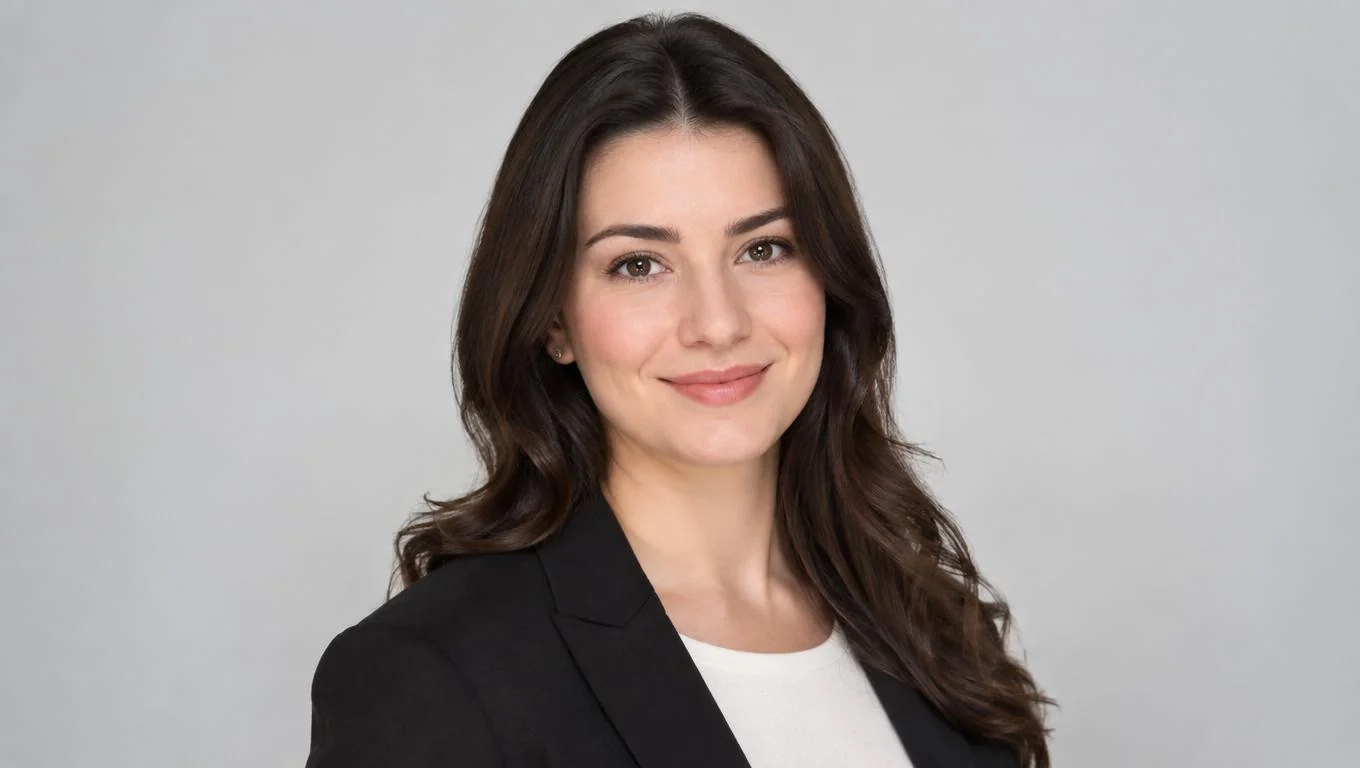
My batch came back with a spread of quality, which is expected and healthy. The strongest frames were genuinely good: even skin, natural catchlights in the eyes, believable studio lighting, and an expression that read as approachable rather than stiff. Out of the full set, I would confidently use about a third, treat another third as maybe, and discard the rest. That hit rate is normal for AI headshots.
Step 4: Pick and refine
I selected two frames for LinkedIn and one for a bio page. A couple of otherwise great images had subtle artifacts, so I skipped them. If your best frames look slightly too glossy, our guide on fixing AI headshots that look unnatural covers quick edits that dial the polish back to realistic. If you want to compare the full range of headshot styles by profession before you generate, the headshot types overview lays out which look fits which channel.
Pricing Tiers and What You Actually Get

ProfessionalHeadshot.io uses a one-time payment model with three tiers. Exact prices and counts change over time, so check the current pricing page before you buy. The structure below reflects what I observed and what differs as you move up.
| Tier | Best for | What changes as you go up |
|---|---|---|
| BASIC | A single clean LinkedIn or resume photo | Fewest generated headshots, limited backgrounds and outfits, fastest way to get one solid frame. |
| PRO | People who want options across channels | More generated headshots, more style and background variety, better odds of several keeper frames. |
| EXECUTIVE | Leaders, founders, and speaker bios | Highest volume, widest style range, more polished corporate looks suited to hero images and board bios. |
My honest read: BASIC works if you only need one usable photo and your source shots are strong. PRO is the sweet spot for most professionals because the larger batch greatly improves your odds of getting several frames you love. EXECUTIVE earns its place when the photo will appear large and often, such as on a leadership page or a conference profile. If a whole team needs matching photos instead of one person, that is a different workflow, and our guide to corporate headshots for teams is a better starting point.
Pros and cons
Pros:
- Fast delivery, typically 15 to 30 minutes.
- One-time payment, no recurring subscription.
- Full commercial rights on downloaded images.
- Natural-looking results in the strongest frames.
- Multiple backgrounds and outfits without a studio.
Cons:
- Output quality depends heavily on your source photos.
- A share of frames show typical AI artifacts.
- No live art direction the way a photographer offers.
- You do the curation work of picking keepers.
Create Professional Headshots in Minutes
Upload 5-20 everyday photos and get 40-100 polished AI headshots for LinkedIn, resumes, company pages, and executive bios.
15-30 minute delivery • Full commercial rights • One-time payment
Get My Headshots →Limitations and Common Mistakes to Avoid
An honest review has to name the weak spots. Here are the ones that mattered most.
- Weak source photos sink the whole batch. This is the single biggest factor. Blurry, dim, or heavily filtered uploads produce muddy results. Feed it clear, well-lit shots and the difference is dramatic.
- Artifacts still show up. Watch hands, ears, glasses frames, and hairlines. A small share of my frames had subtle errors in these areas, so review at full size before you commit.
- No live direction. A photographer can coach your pose in real time. AI cannot. Pick source photos with the expression and angle you want, because the tool leans on what you give it.
- Over-polish. The default look can run slightly glossy. Choosing the most natural frames, not the most dramatic ones, keeps you credible.
- Privacy caution. You are uploading your face, so read the data policy first. Our AI headshot privacy guide lists exactly what to check, and broad data-protection frameworks give useful context on your rights (GDPR.eu).
None of these are dealbreakers for standard professional use. They are the normal cost of trading a studio session for speed and price, and knowing them in advance is how you get your money's worth.
Related guide: For a more focused next step, read Therapist Headshots: Photos That Build Client Trust (2026 Guide) and connect this advice to your wider professional headshot plan.
Final Thoughts
After running my own photos through it, my ProfessionalHeadshot.io review lands in a clear place: it is a strong, practical choice for anyone who needs a polished LinkedIn, resume, or company-page photo without the time and cost of a studio shoot. The best frames look natural and credible, delivery is fast, and the one-time pricing is easy to justify against a traditional session. The tradeoffs are real but manageable, and they mostly come down to feeding the tool good source photos and curating the batch with a critical eye.
If you decide to try it, start with a small set of clear, well-lit photos, choose the tier that matches how much variety you need, and pick the most natural-looking frames rather than the flashiest ones. When you are ready to generate your own set, the CTA below takes you straight to the dashboard.
Frequently Asked Questions
Quick answers to the questions buyers ask most before trying ProfessionalHeadshot.io.